Diamond Board
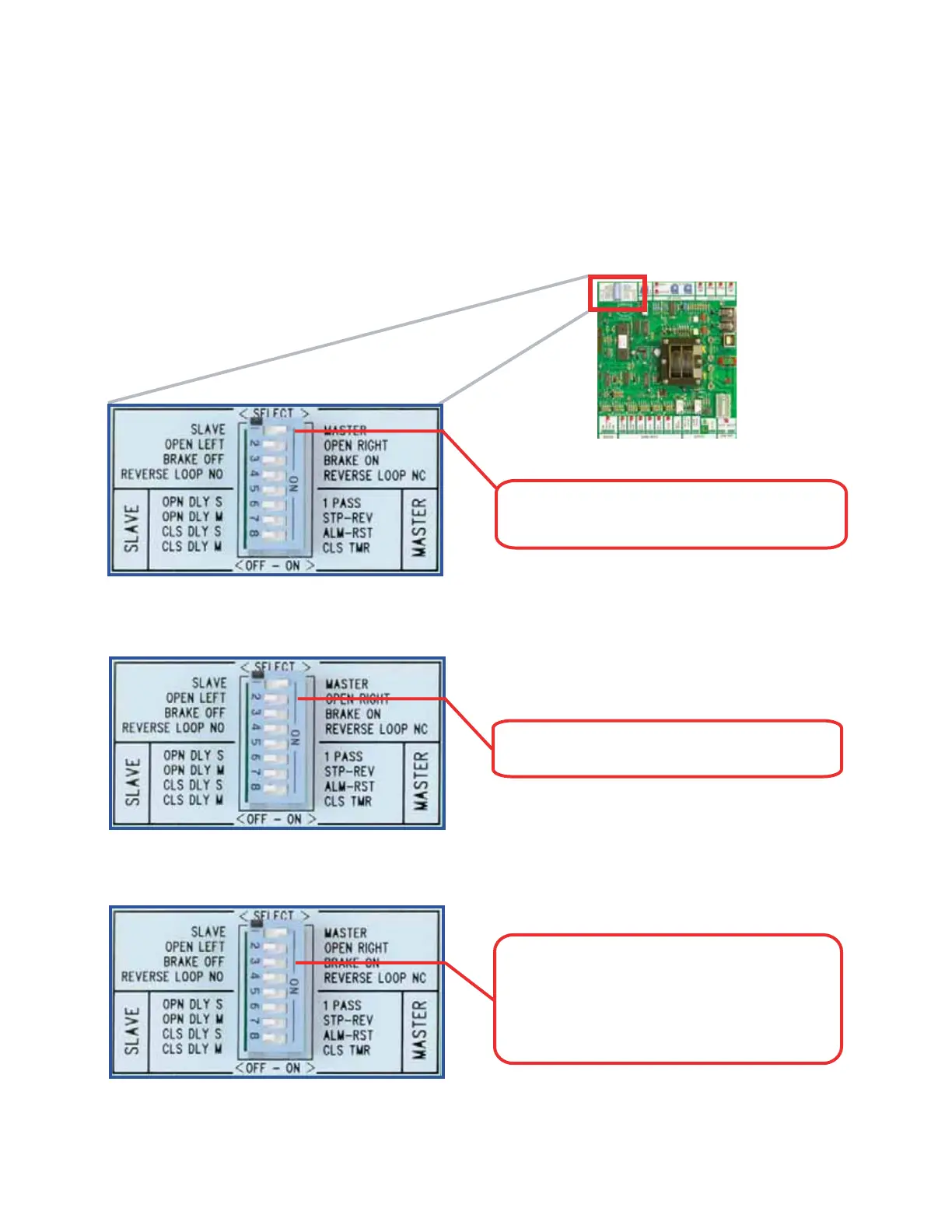
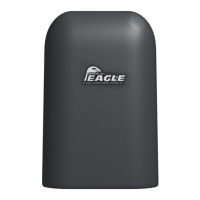
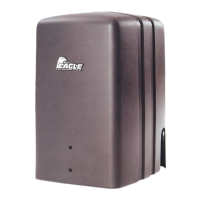
FEATURE SELECTOR
Switch 1: Slave/Master - Sets the operator
to work as Master or Slave.
Switch 2: Gate Opening - Designates left or
right opening.
Switch 3: Motor Brake - If the "on" position
is selected, the gate will stop instantly when
on the limit switches. This is useful on
uphill / downhill applications and on all
Fail-Safe operators.
Distributed by AFW Access Systems • www.AnchorMiami.com/afwas
(11)
Slide Gate Operators / Eagle-2000 Series / Eagle-1000 Series
____________________
The Feature Selector
The selector uses an eight-station switch system that allows selection of the standard
features and customized installation settings. The switch description is as follows:
Note: The power should always be turned off when designating feature selector switches


 To Next Page