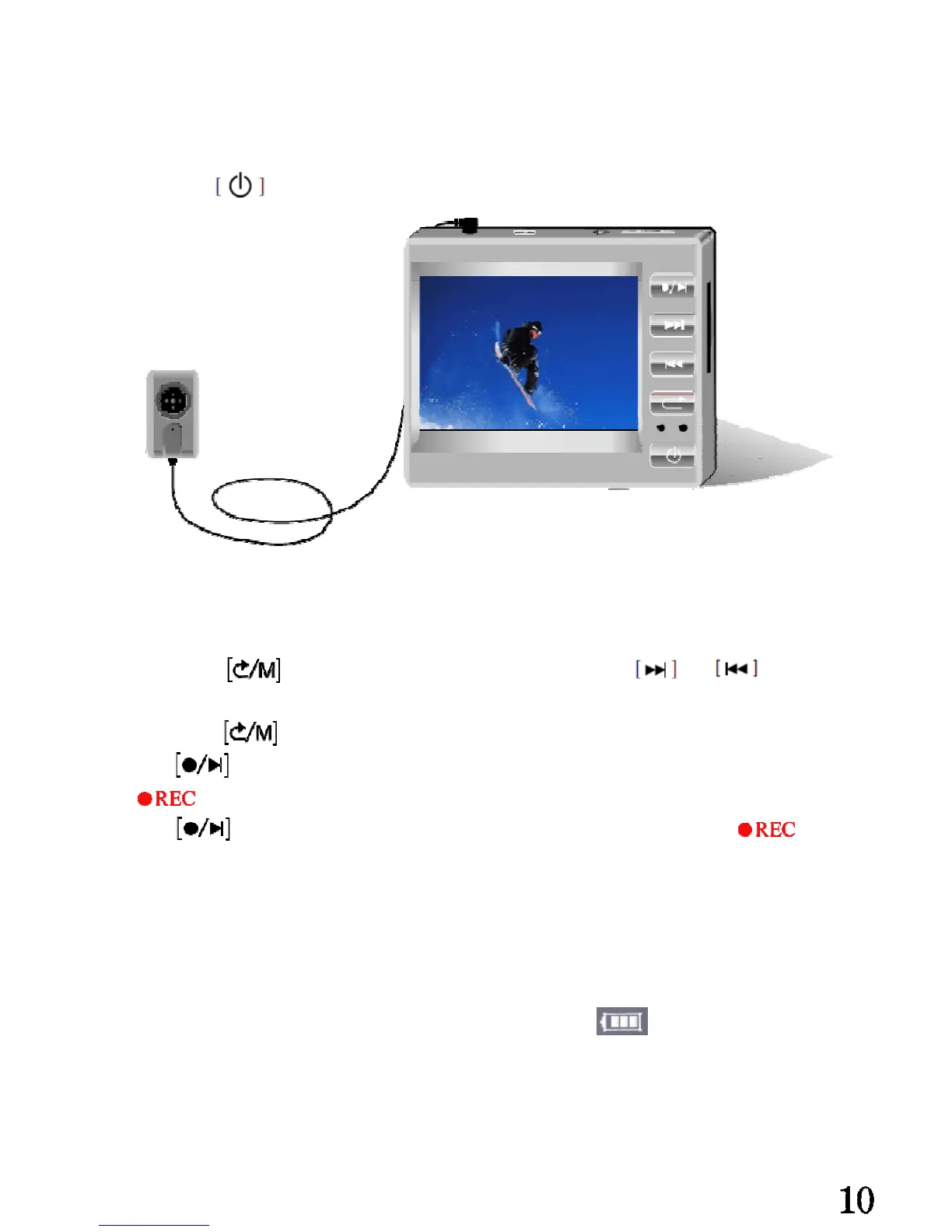
BASIC OPERATIONS
Please insert the Mini Camera connector into the AV input jack of the main
unit under “OFF” state.
Long press to power on the main unit.
Start Recording
Glide [R/P] button to [R] side① ,the screen will display pictures that shot by the camera。
Long press button② and enter the setting menu, use or to do the
“record mode” setting, “One key record” or “motion record” ,
③Long press quit setting.
④Press start one-key recording or motion recording, the screen will display if
recording condition.
⑤Press stop one-key recording or motion recording, at the same the
Will disappear.
⑥Glide [R/P] button to [P] side,enter video files folders.
Precautions:
The device support low-power protection, while the icon continuous
flash, please unplug the power supply promptly after finishing charging the
battery.


 To Next Page