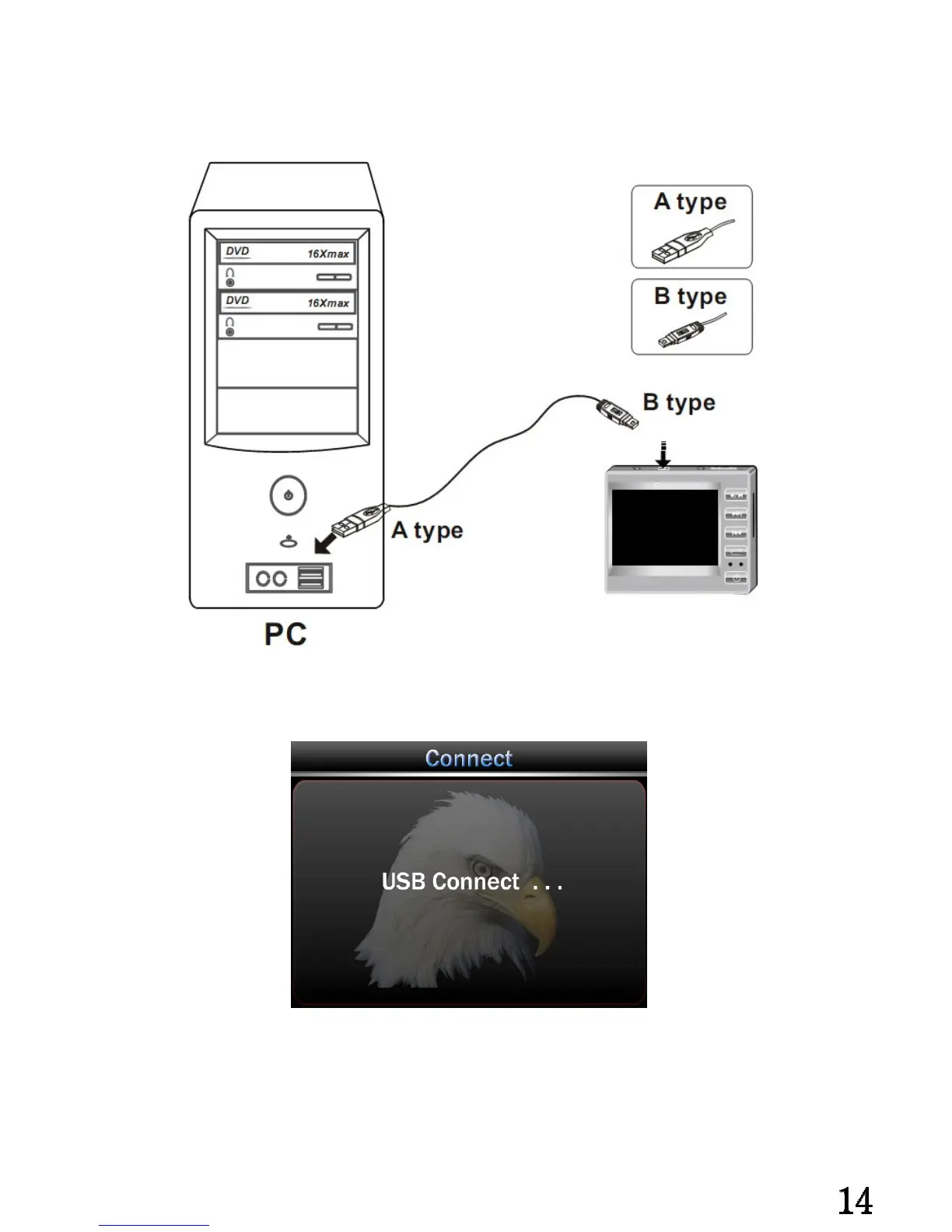
Connect with PC:
Connect the USB and MINI USB with computer and the main unit separately.①
② After connect with computer, DV207 will display “ USB Connect”, recharge
indicator always on.
Remark:
Connect with computer at power on states, can not operate as it is External Hard Drive.
Connect with computer at power off states, can do any operation as it is recharging.


 To Next Page