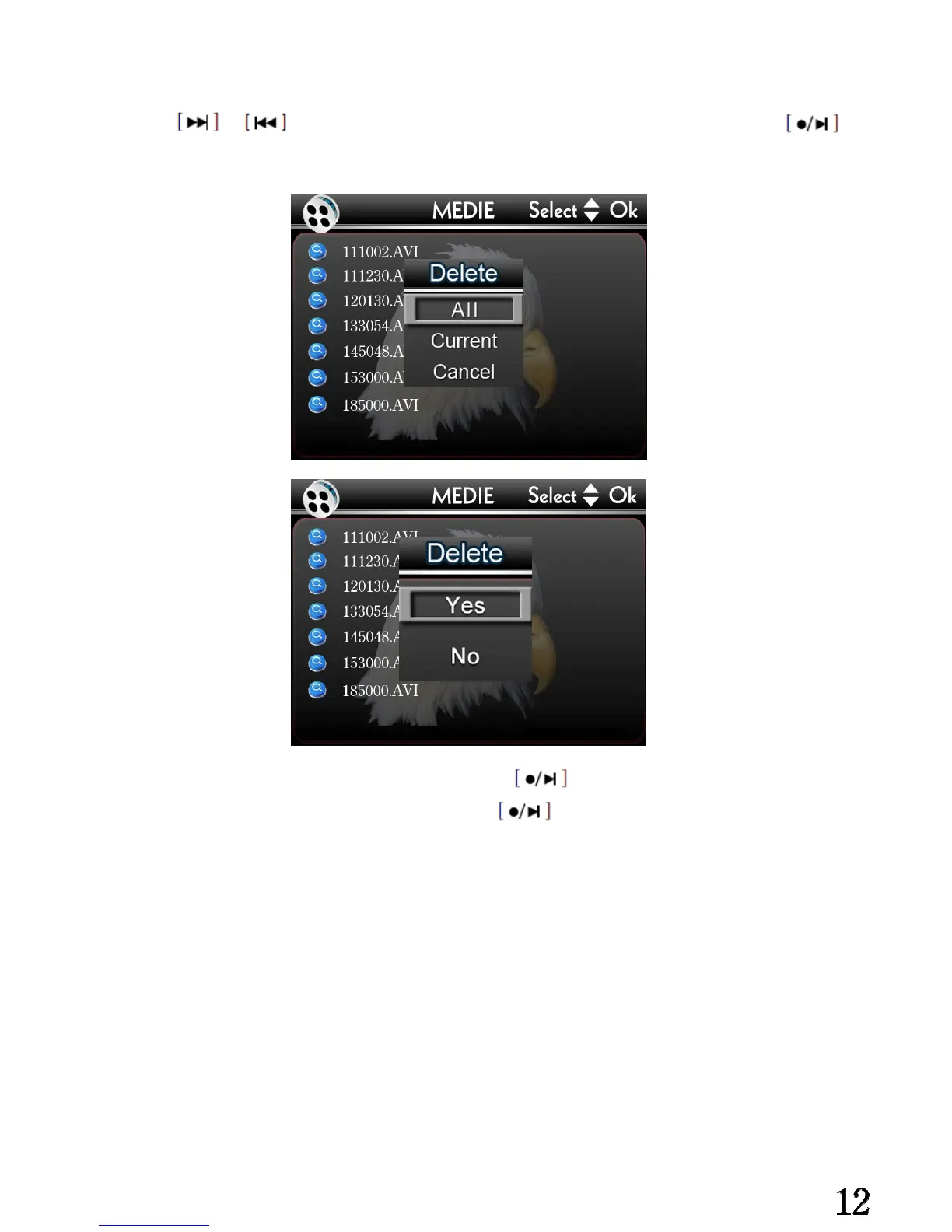
Delete the video files:
①Press or to choose the file you want to delete, and then long press ,
Enter the files delete interface.
ALL: Delete all video f② iles under folders, press delete.
Current: Delete the s③ elected video file, press delete.
Cancel: Cancel the④ operation
⑤After the operation confirmed,the system will go back to the video folders interface
automatically.
Attention:
The video files can not be reverted after delete it. So please do it restrainedly. Commend
to copy the video files into your computer before your delete it.


 To Next Page