key till “Setup” menu appear on the screen.
1.Recording mode setting:
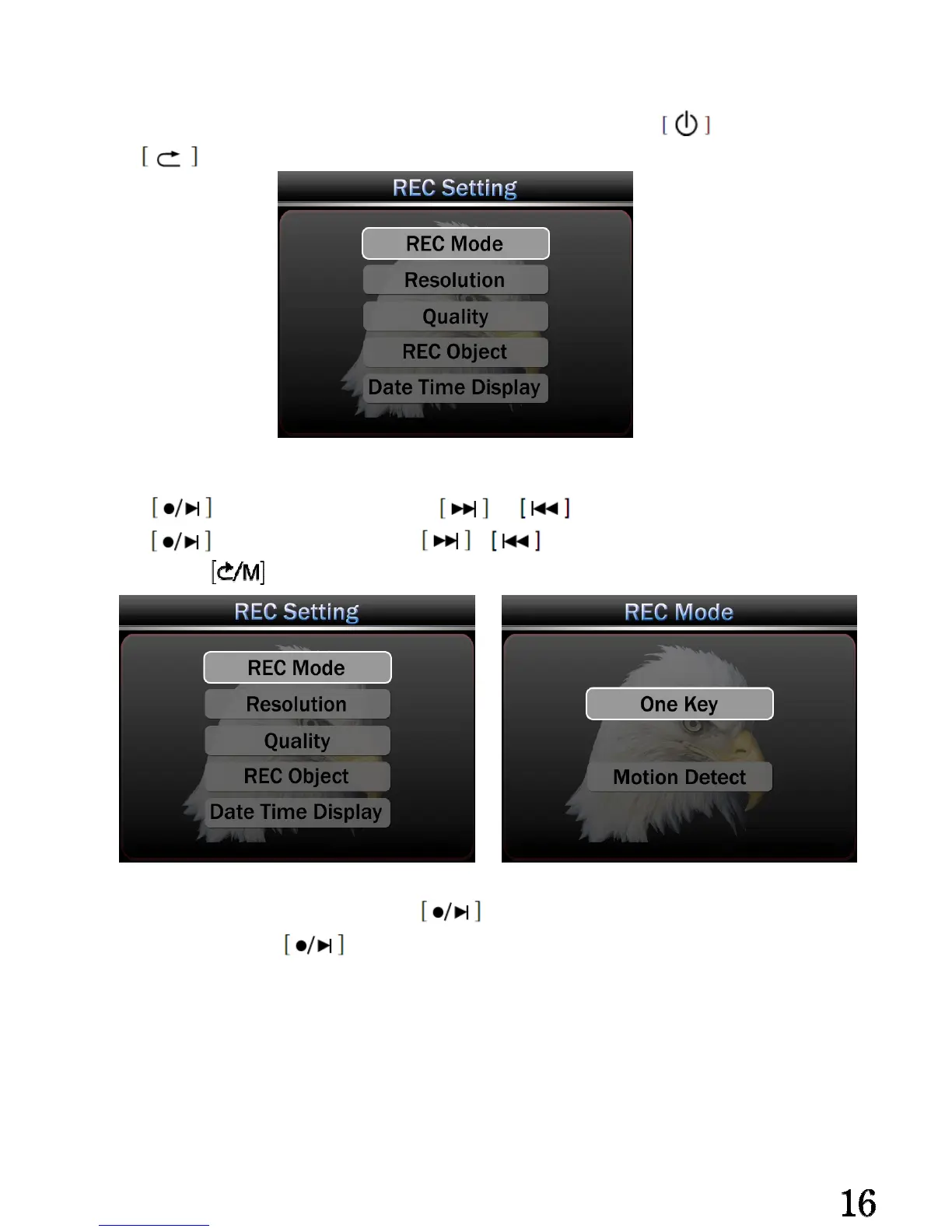
Press enter REC Setting,press or to select your preference setting。
Press enter REC Mode,press or choose record mode,then press to
select, press exit setting
While choosing one key mode, press start normal recording. While choosing
Motion Detect, press start motion recording, the device start recording
automatically while catching any movement, device will continuous recording if there is
continuous movement, if no movement, the device will turn to standby model after 15
seconds.
Important: The motion detector support record 15 Seconds pictures before motion record
start. (That means it could catch some fast movement)


 To Next Page