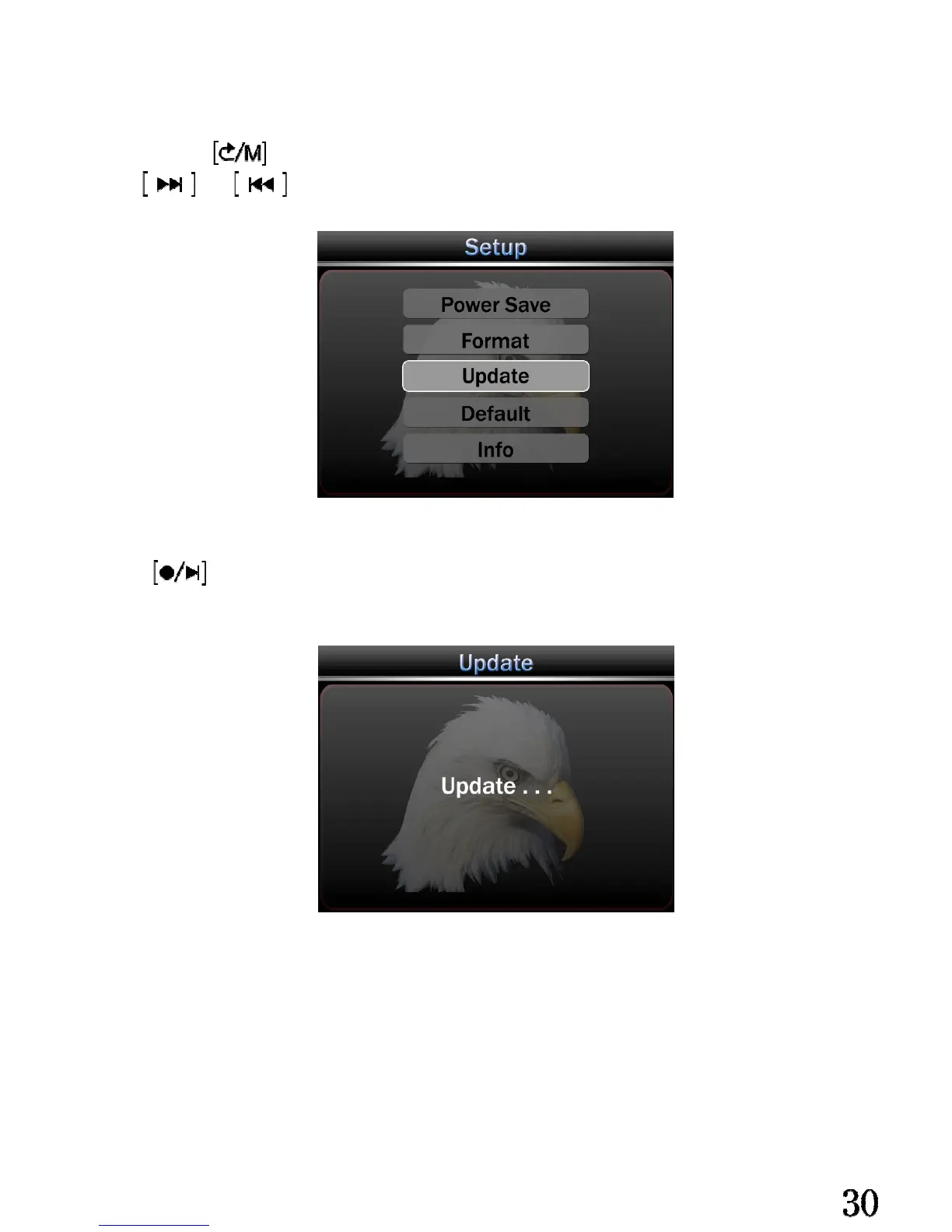
Software update:
Copy the update software into the Mini-SD card, and insert into the head-unit.
Long press enter setting menu.
Use and to choose update menu.
Press will update software automatically.
Attention:
Please stop any operation during software updating, it will continue 3 minutes,
the head-unit will power off automatically after successful update.


 To Next Page