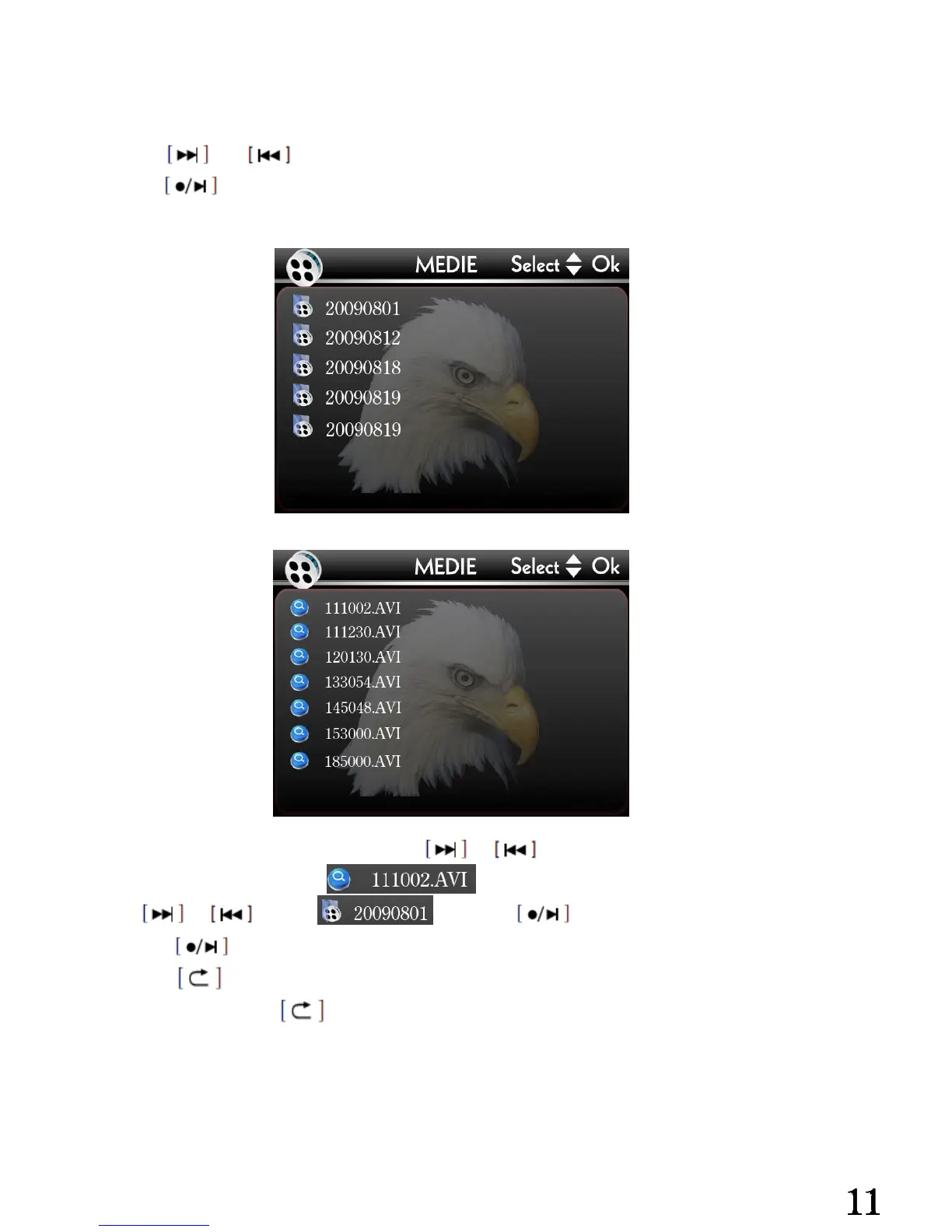
Video content view:
Glide [P/R] button to [P] side.①
Use ② or choose the video storage folder.
Use ③ confirm and enter.
Video folders
Video files
Aft④ er enter the video folders, use or to choose the video files that you want
to play, for example, play ,
Use or choose and press to play.
Press second time to pause the playing.⑤
Press stop pl⑥ aying and exit.
Continuous press⑦ back to the video folders.
Attention:The name of the video folders and video files are created by the date and time
when the video recorded, systematic arrangement.


 To Next Page