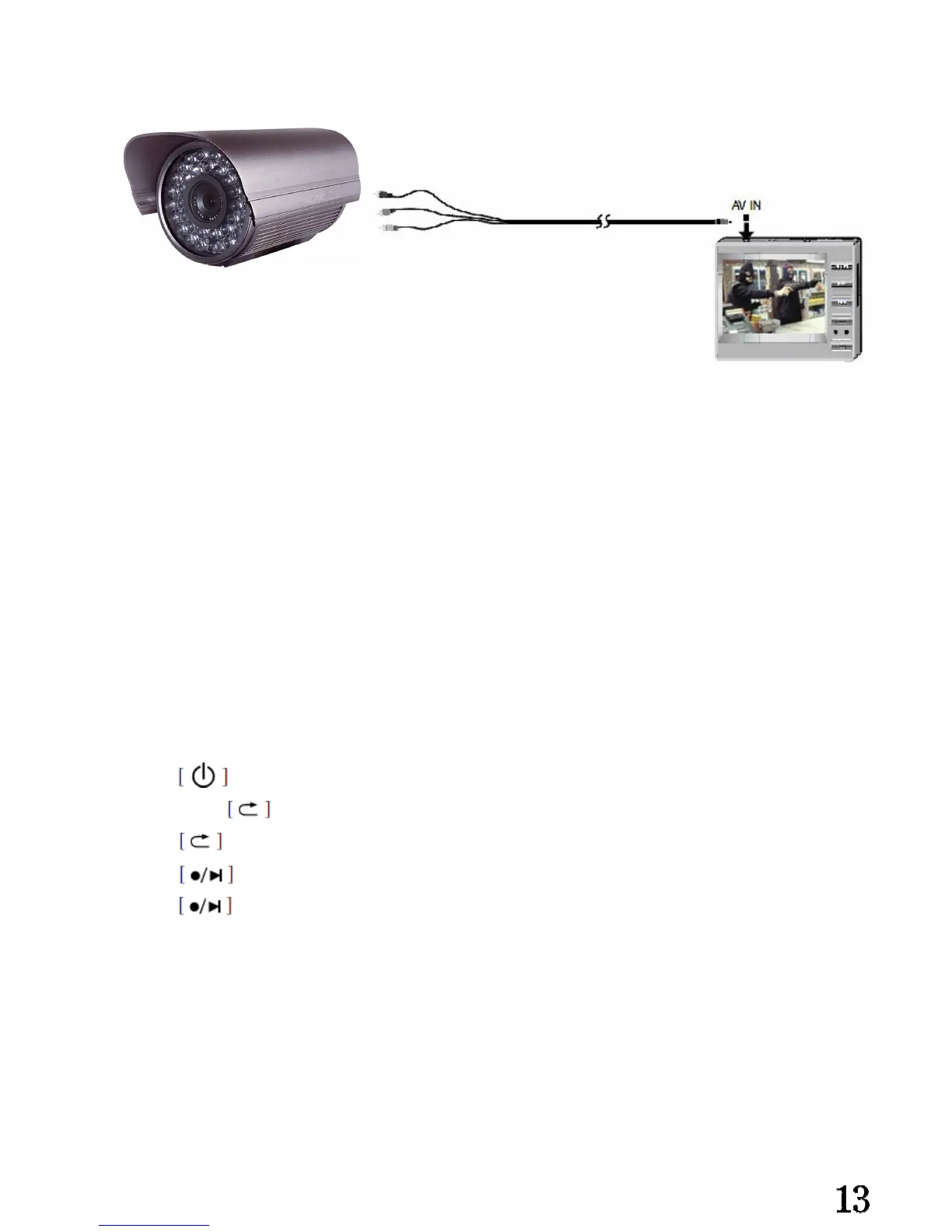
Connect with other A/V device:
Instruction:
Glide [R/P] button to [ R] side, and enter record mode.①
Insert the video cable (② 2.5mm connector)into the main unit via the AV input jack,
connect the RCA connector with the camera.
Attention : yellow – video input ; Red- audio input (single track); Black – DC/5V
output.
Start record:
Press power on the main unit;①
Long press ② enter the record mode setting, change the mode to “key record “.
Press ③ go back to the record interface.
Press④ start recording.
Press⑤ stop recording.
Attention : This player only have one Video and one Audio, without right/left stereo
input. DC:5V cable is useful when recording DVD or TV signal


 To Next Page