Video output setting:
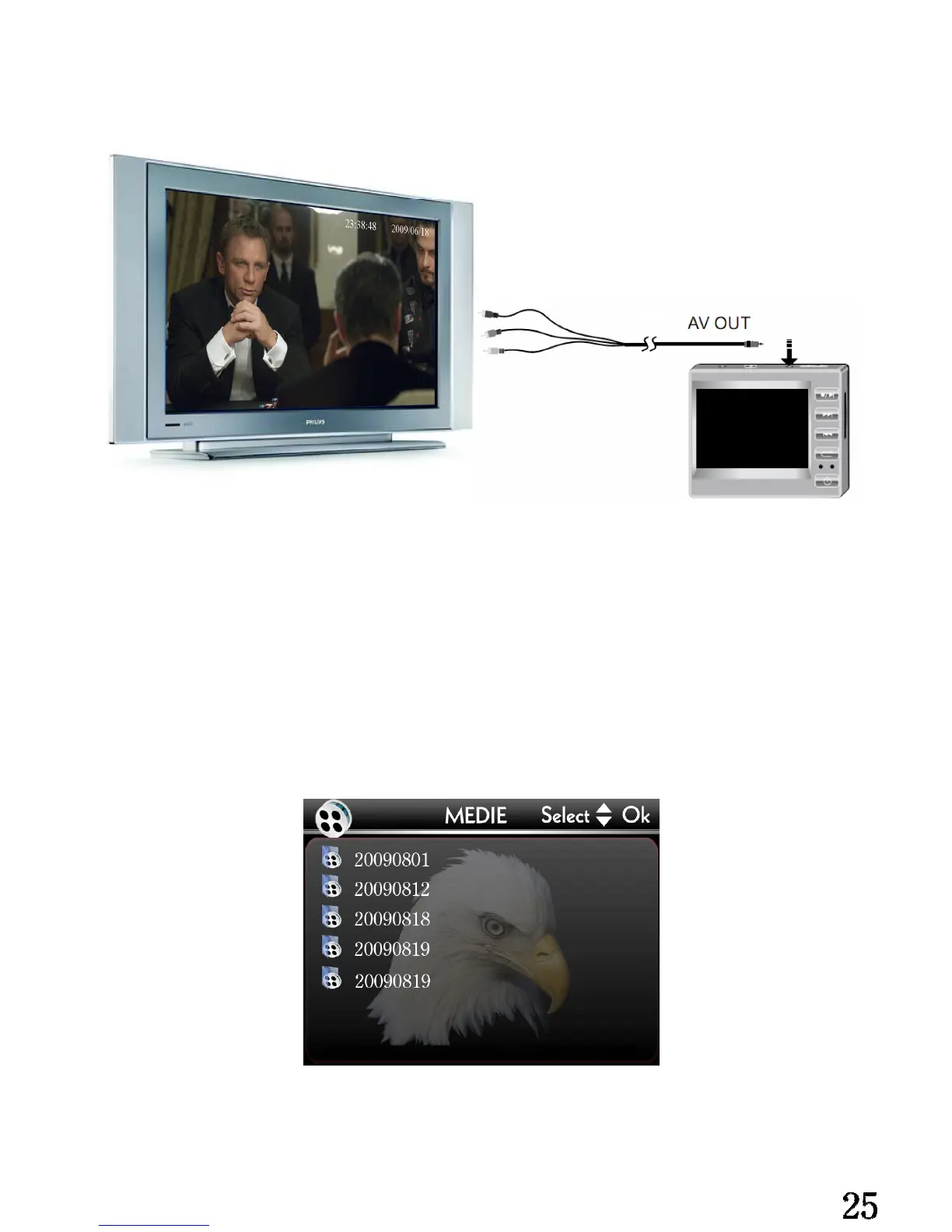
Please connect the AV cable of the head-unit with the TV correctly, like illustration:
Yellow: Video Output
Red: Audio R Output
White: Audio L Output
While insert the video cable into the head-unit, the LCD of the head-unit will off, and the
external monitor will display the picture of the head-unit, Glide the [R/P] switch at [P]
place, and then the monitor will display all video file folders in the head-unit storage,
illustration below:
Please consult page 11. about how to play a video.
The default system of video output is NTSC, if your monitor only support PAL system,


 To Next Page