GETTING STARTED
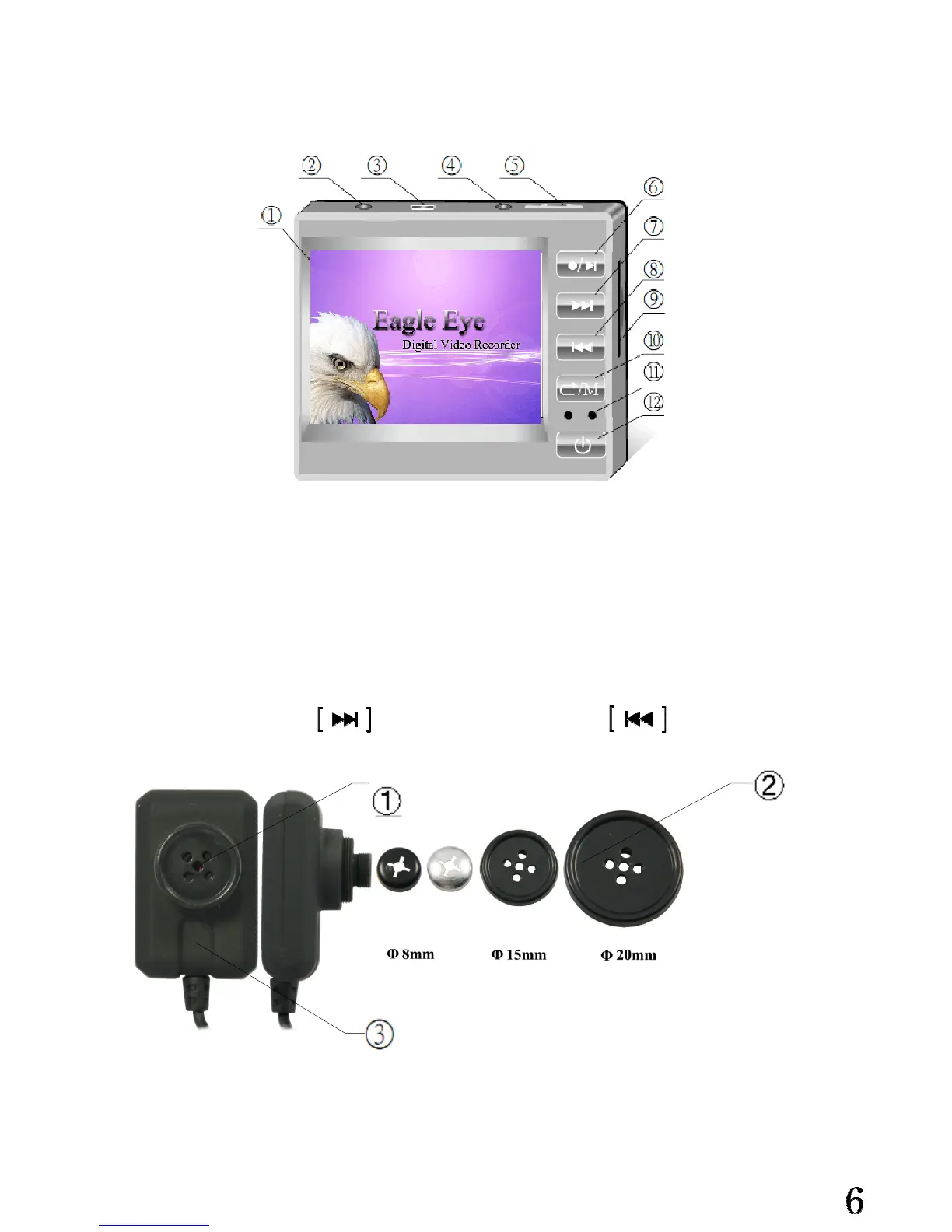
Identifying the parts of the mini DVR
1.2"TFT LCD Screen 7.FWD/Select key
2.AV In jack to connect with the Mini camera/TV 8.REV/Select key
3.USB jack to connect with PC 9.Mini SD Card Slot
4.AV Out jack to connect with TV 10.Return key
5.Record/Playback switch 11.LED Indicators
6.Play/Stop key
Remark: Long press to hold key, long press to release key
The Parts Of The Mini CAMERA
1.Lens
2.Interchangeable buttons and screws
3. Microphone


 To Next Page