- 22 -
3.4 Navigating LCD Screens
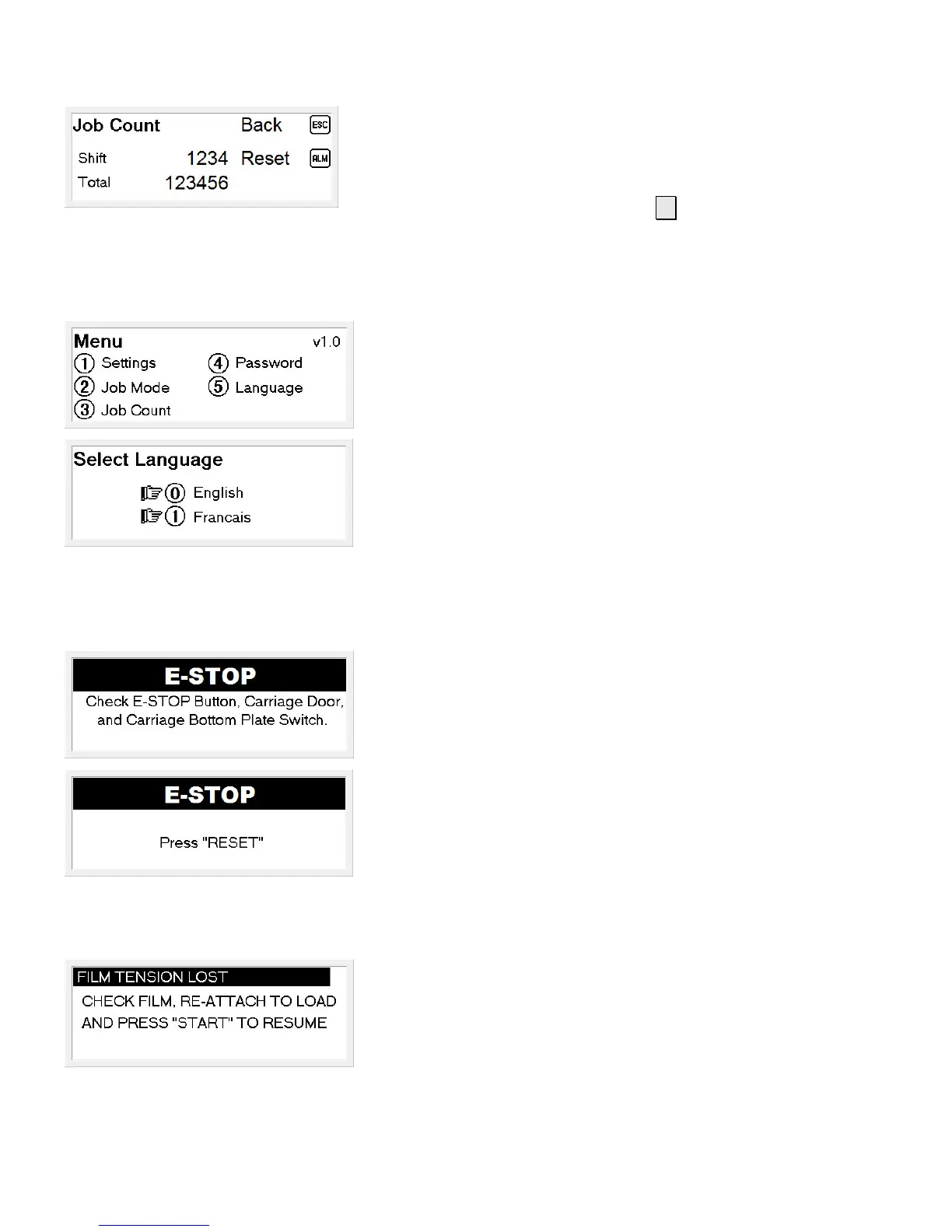
Job Count
This screen displays the current number of cycles and the total
number of cycles of the machine.
To reset the current yield, press the ► key
Set Menu Language
From the Main Menu, select
⑤
Language
To change the language, select either;
⓪
English
①
Spanish
E-STOP
If the machine has been placed in E-STOP, this screen will be
displayed.
Once the E-STOP condition has been cleared, a screen
indicating that a reset is required will be displayed.
Film Tension Lost
If film tension is lost during a job, the machine will pause the
job and display a screen indicating film tension has been lost.
Once film tension has been restored, the job can be continued
by pressing the Start button.



 To Next Page