- 25 -
3.5 Password Settings
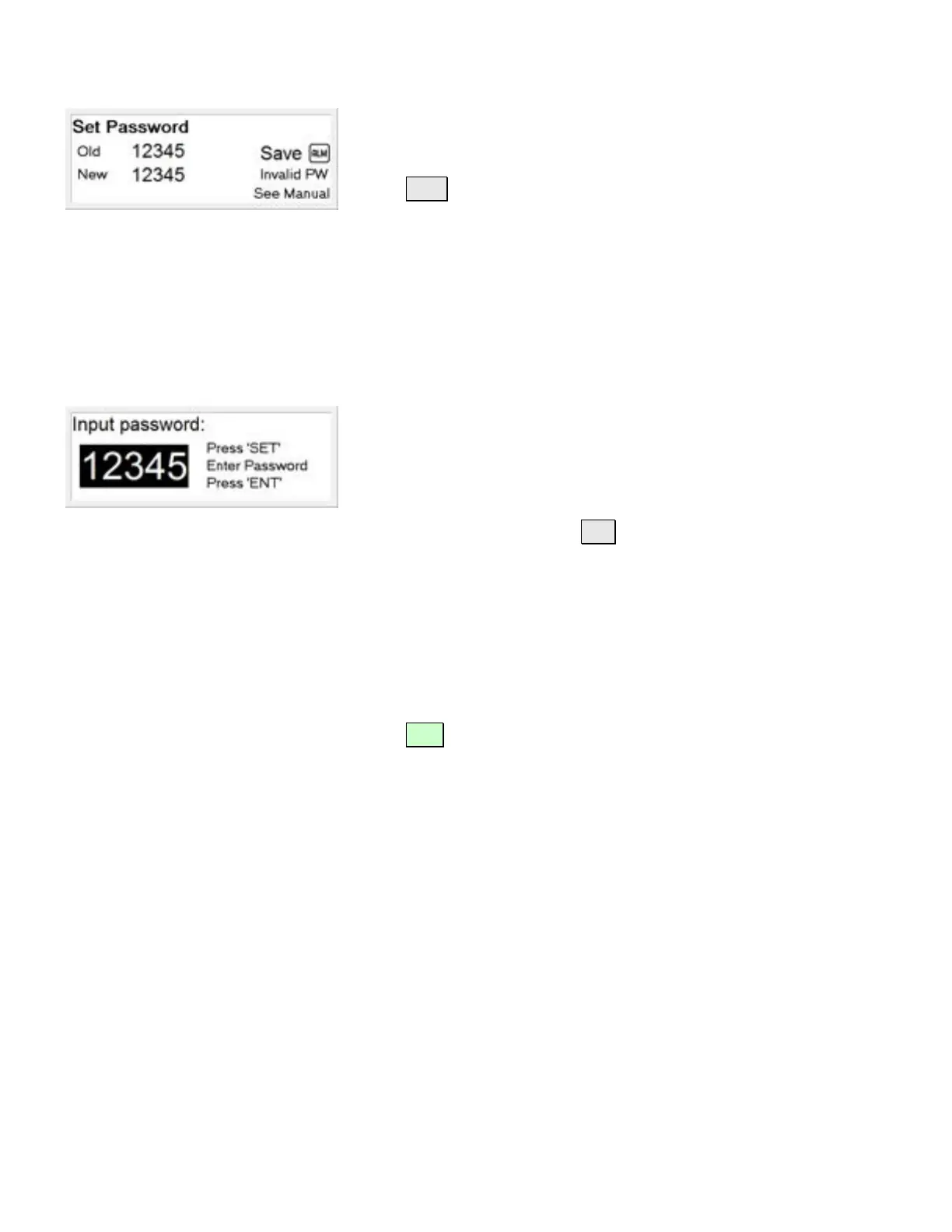
If there is a error during the process, the screen will display
"INVALID PW, SEE MANUAL"
Press ALM to clear the error.
Note: If this message is displayed, the new password has not been
set. You will need to re-enter the new and old passwords again.
How to Enter a Password
Any time a menu item is selected that is password protected, the
Input Password screen will be displayed.
To enter a password, press SET
The black background behind the number will clear to indicate
the system is ready for password entry.
Use the numeric keypad to enter your password.
Note: The factory default password is; 1234
Press ENT and, if the correct password was entered, the menu
will proceed to the item selected.



 To Next Page