- 24 -
3.5 Password Settings
FACTORY DEFAULT PASSWORD: 1234
IF DEFAULT PASSWORD IS CHANGED AND FORGOTTEN, THE
ONLY MEANS OF RESET IS BY ON-SITE SERVICE CALL OR PLC
REPLACEMENT ALL ASSOCIATED EXPENSES AND FEES WILL
BE THE RESPONSIBILITY OF THE MACHINE OWNER
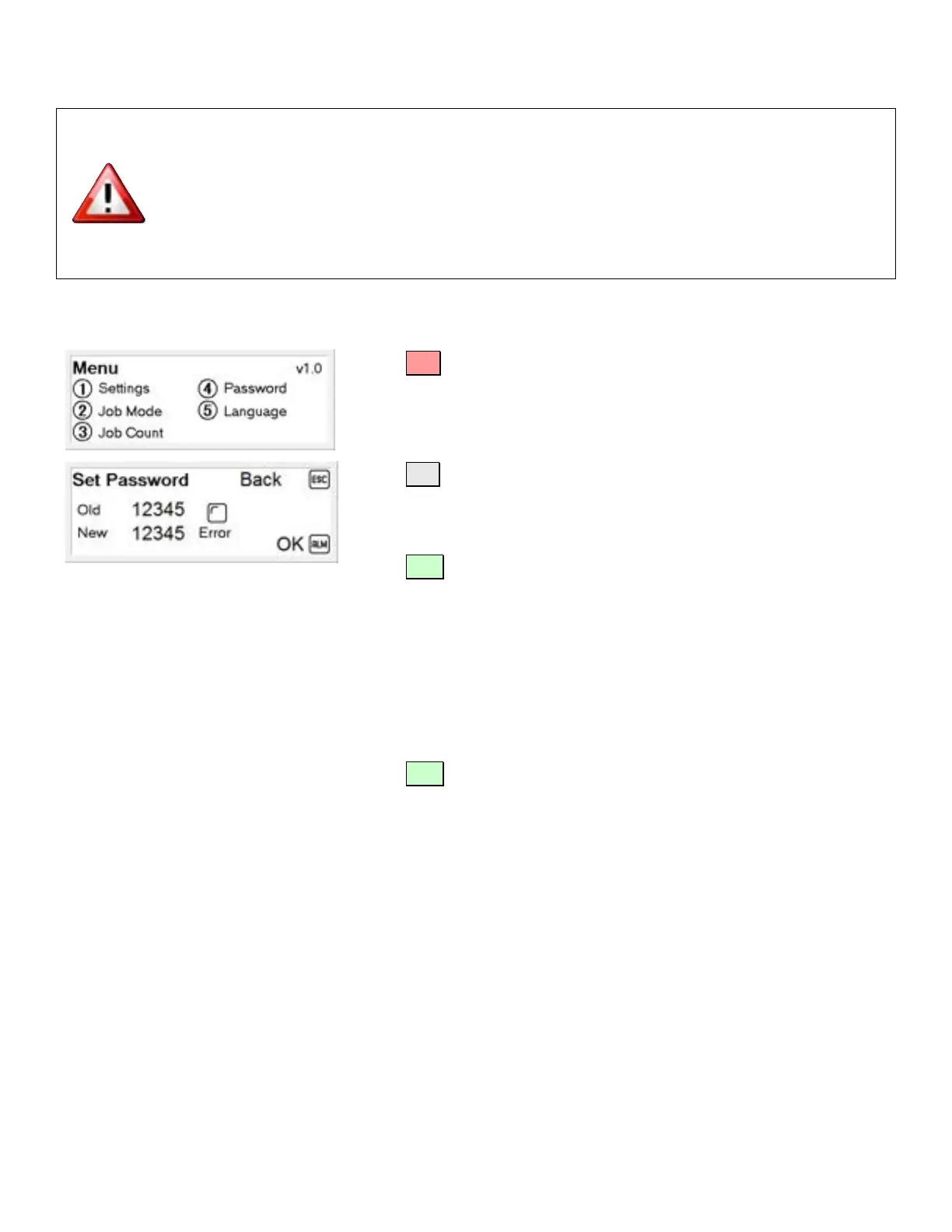
Setting a New Password
Press
until the Main Menu is displayed
Press ④ Password
Enter your new password using the numeric keypad.
Press ENT
Note: For security reasons, a random generated number will be
displayed in place of your new password.
Enter the old password using the numeric keypad.
Note: If you have not previously set up a password, use the factory
default password.
Press ENT
Note: For security reasons, a random generated number will be
displayed in place of your old password.



 To Next Page