146
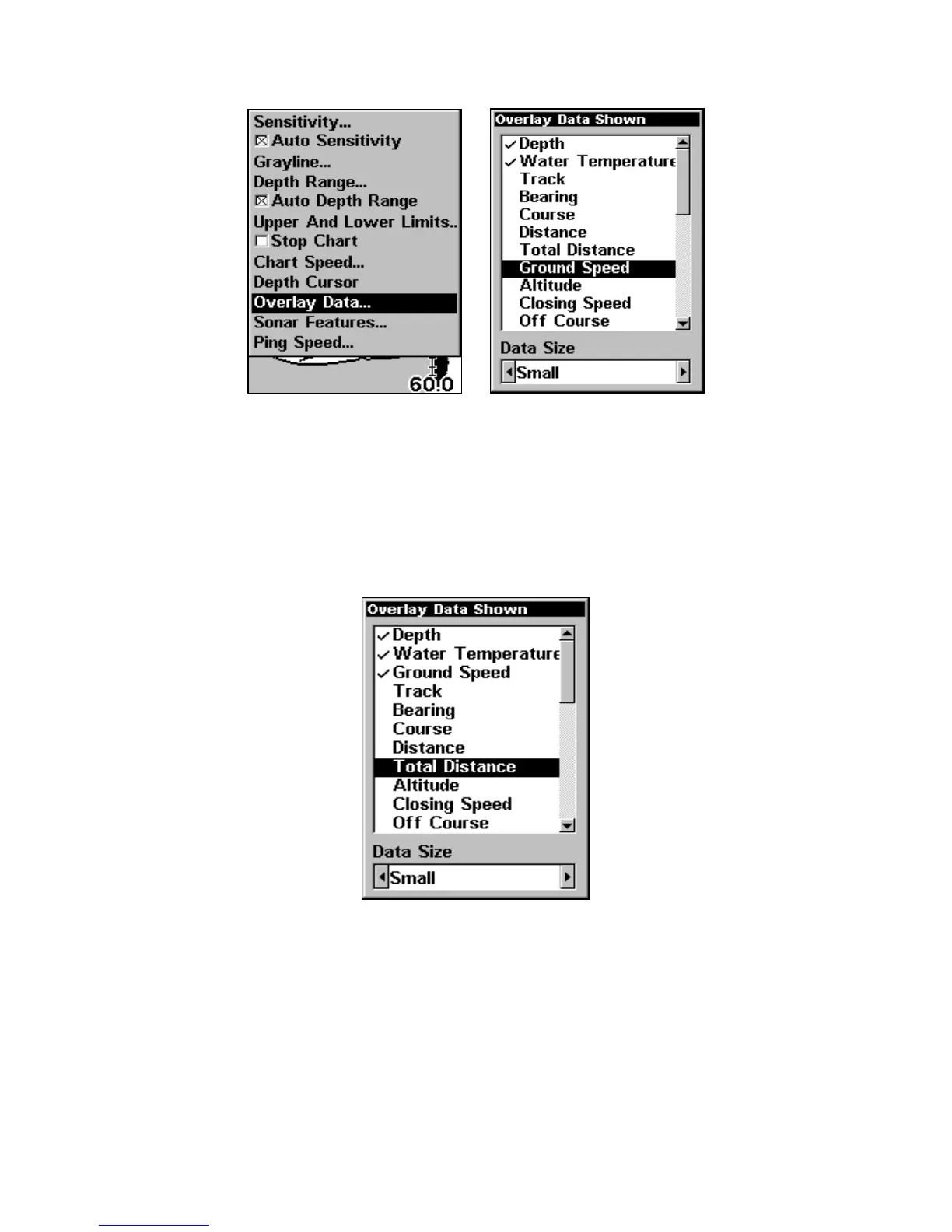
Overlay Data command on the Sonar Menu (left). Overlay Data Shown
selection menu (right). In this example, we scrolled down the data list
to highlight Ground Speed.
When selected, the data type shifts to the top of the data list and a
check mark appears beside the data type. If you want, you may use ↓ ↑
to select other Data Types for display.
Data list showing Ground Speed selected to display on Map Page.
3. To return to the previous page, press EXIT.
To turn off displayed data:
1. From the Map, Sonar or Map with Sonar page, press MENU|↓ to
OVERLAY DATA|ENT.




 To Next Page