147
2. Use ↓ ↑ to select a Data Type, then press ← → to turn off (uncheck)
the data option. The selected data type disappears from the top of the
list and reverts to its previous, unchecked position. If you wanted, you
could use ↓ ↑ to select other data types.
3. To return to the previous page, press
EXIT.
To change displayed data font size:
1. From the Map, Sonar or Map with Sonar page, press MENU|↓ to
OVERLAY DATA|ENT.
2. Use ↓ ↑ to select Data Type, then press ← → turn on (check) the data
type and modify the data size. Use ← → to scroll through four data size
options: Small, Medium, Large and Enormous. After you are satisfied
with the data size, press
EXIT. The selected data type will be displayed
in the new size. To change the font size for another Data Type, press
ENT and repeat these steps, beginning with step two above.
3. To return to the previous page, press EXIT.
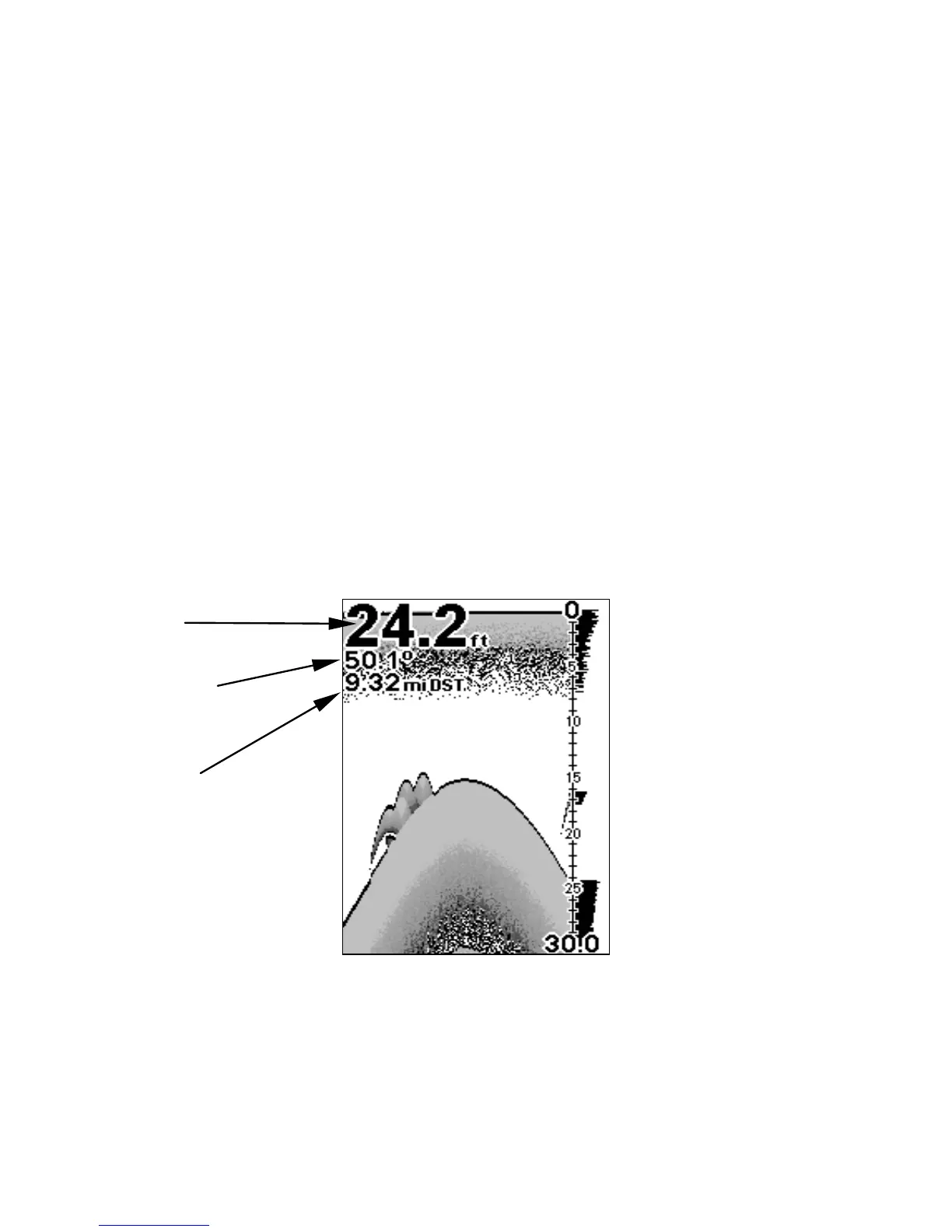
Sonar Page with Overlay Data turned on. This example shows Depth,
Water Temperature and Distance to the next waypoint.
Distance to
destination
Water
temp
Depth




 To Next Page