68
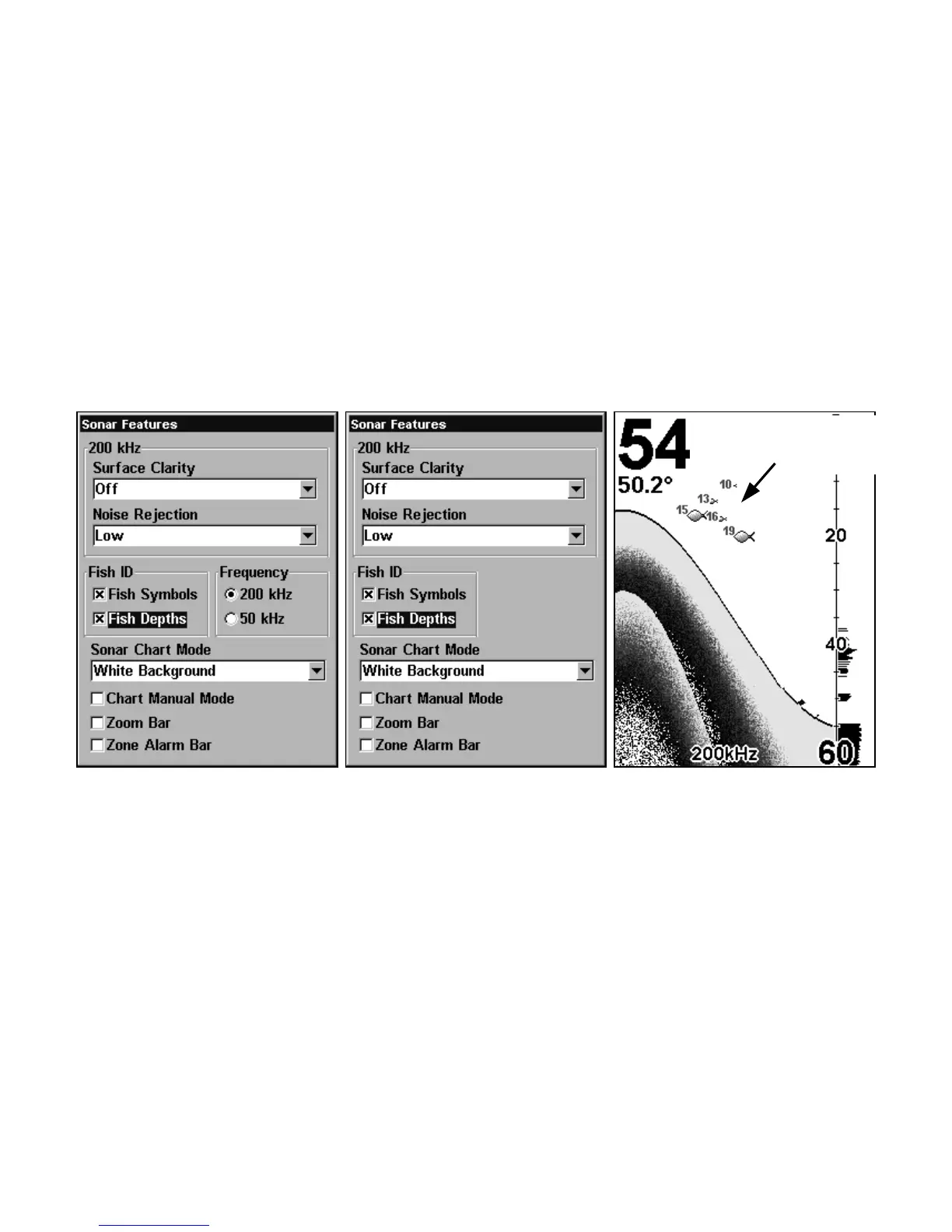
To turn on FishTrack:
(Note: These instructions will turn on FishTrack and Fish I.D. at the
same time.)
1. From the Sonar Page, press
MENU|↓ to SONAR FEATURES|ENT.
2. Press ↓ to
DEPTHS|ENT|EXIT|EXIT.
To turn off FishTrack, repeat the instructions in step 1. Turning off
FishTrack in this manner will not turn off Fish I.D. symbols.
Sonar Features menu with Fish I.D. Depths selected (at left, dual-
frequency menu; center, single-frequency menu). When the check box to
the left is checked, the feature is on. At right, Sonar Page showing Fish
I.D. symbols and FishTrack depths turned on.
Frequency (Change Transducer Frequency)
(SeaFinder CDF only)
The SeaFinder CDF transducer operates with both 200 kHz and 50
kHz. The 200 kHz frequency has a 12° cone angle and the 50 kHz fre-
quency has a 35° cone angle.
Symbols with
FishTrack depths















 To Next Page