124
Navigate a Route in Reverse
Here's how you run a route backward, from the end waypoint to the
beginning waypoint:
1. From the
NAVIGATION PAGE (with digital data), press MENU|ENT or from
the
MAP PAGE, press MENU|MENU|↓ to ROUTE PLANNING|ENT.
2. Press
↓ to select route name|ENT|↓ to NAVIGATE|→ to REVERSE|ENT|←
to NAVIGATE|ENT.
3. Upon arrival at your destination, cancel navigation:
press
MENU|MENU|↓ to CANCEL NAVIGATION|ENT|← to YES|ENT.
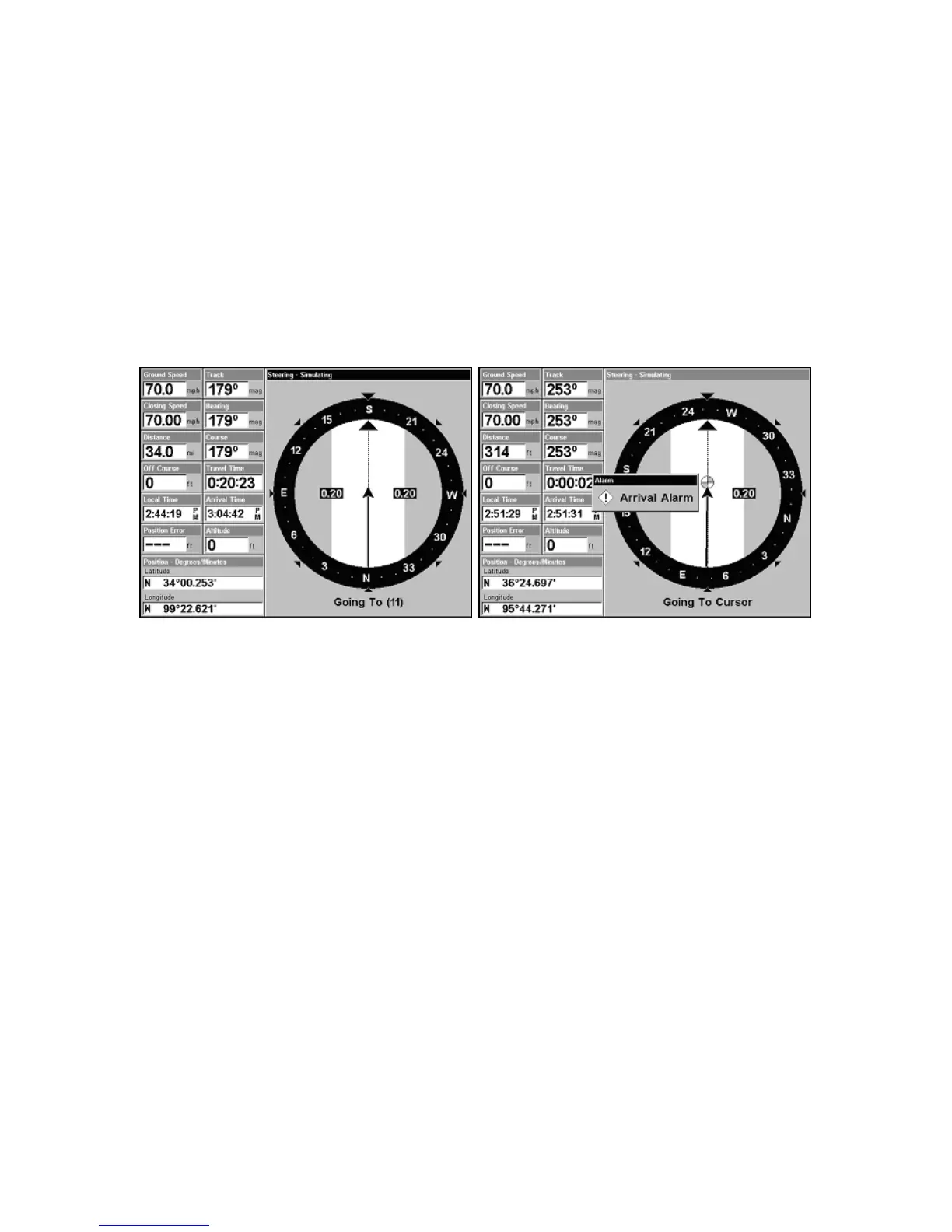
Fig. 1 shows the Navigation Page at the start of a route, heading
straight for the waypoint 11. In Fig. 2, the traveler has arrived at the
destination and the arrival alarm has been triggered.
Trails
Delete a Trail
This is the procedure used to delete a trail. Press
MENU|MENU|↓ to MY
TRAILS|ENT|↓ to trail name|ENT|→ to DELETE TRAIL|ENT|← to YES|ENT.
Tip:
You can also delete all trails at once:
1. Press
MENU|MENU|↓ to MY TRAILS|ENT.
2. Press
→ to DELETE ALL|ENT|← to YES|ENT.
Edit a Trail Name
To edit a trail name: press
MENU|MENU|↓ to MY TRAILS|ENT|↓ to trail
name|
ENT|ENT. Press ↑ or ↓ to change the first character, then press
→ to the next character and repeat until the name is correct. Press
ENT
then EXIT|EXIT|EXIT|EXIT to return to the previous page display.
Figure 2.
Figure 1.











 To Next Page