23
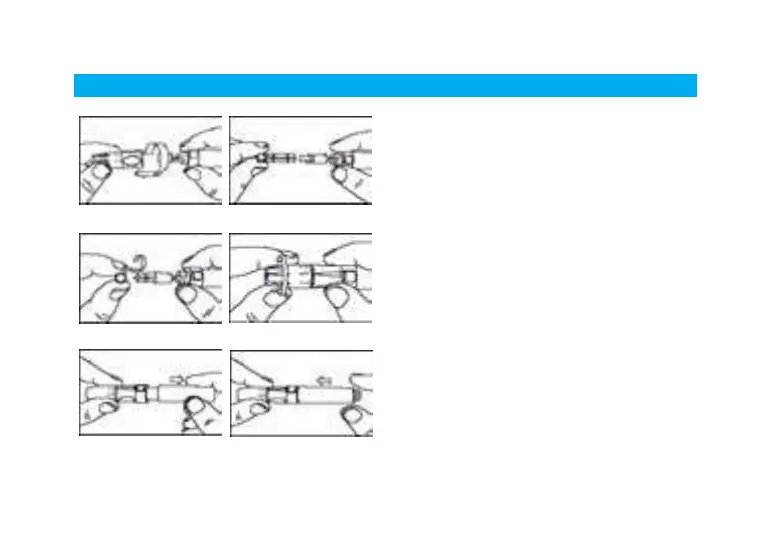
Steps for Using the Puncturer
1. Unscrew and remove the puncturer’s
adjustable tip.
2. Insert a lancet into the carrier.
3. Twist off the protective cover.
4. Replace the adjustable tip tightly. Choose
a desired skin penetration depth by
rotating the top portion of the adjustable
tip until the setting number lines up to the
arrow. Settings are based on skin type:
Depth 1~2: for soft or thin skin
Depth 3: for average skin
Depth 4~5: for thick or calloused skin
5. Hold the tip of the puncturer with one hand
and pull the sliding mechanism with the
other hand. When a click is felt, the trigger
rises up. Release the sliding mechanism,
and it will move back to its original
position.



 To Next Page