33
1. Enter the glucose test mode rst. Insert the glucose code key (green color) and press
the “M” button.
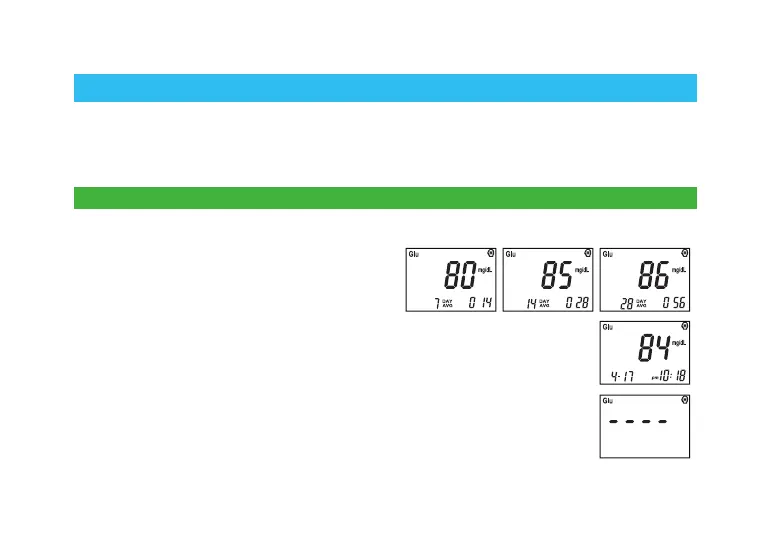
2. On each press of the “M” button, the
7-day average, 14-day average and 28-day
average will be displayed on the screen in
order.
3. On the fourth button press, after the 28-day average, the newest blood
glucose test result with date will be displayed.
4. The stored results with date are displayed in order from the most recent
to the oldest with each press of the “M” button. The meter will turn off
automatically in 3 seconds when the symbol “----” is displayed on the
screen.
Using the Meter Memory
Reviewing Stored Glucose Test Results
EasyTouch
®
GCU Meter can automatically store the most recent glucose, cholesterol,
and uric acid test results. You can review the test results in order from the newest to the
oldest. If the memory is full, the oldest result is deleted as the newest result is added.
The memory is not affected by replacing/removing the batteries.



 To Next Page