www.eaton.com
Network Shutdown Module V3 – User Manual - 34 003 934 XU / AE Page 54/65
7.8.4 The action parameters (execute and send email)
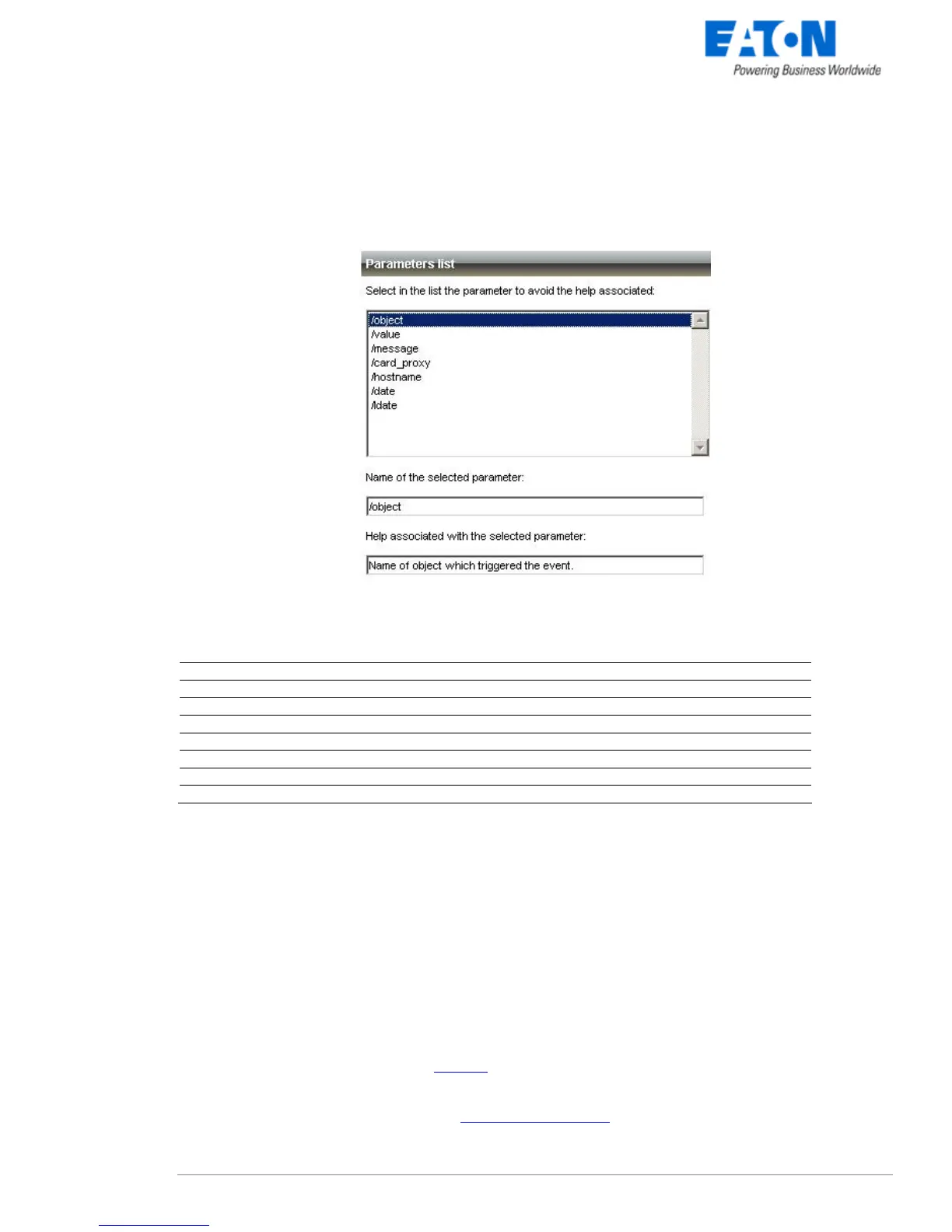
The Parameter... buttons let you access following screen:
The action parameters (execute and send email)
The following parameters can be transmitted to actions:
Parameter Description
/object
Send object name as a parameter
/value
Send object value as a parameter
/message
Send formatted message as a parameter (refer to label file)
/date
Send date in YYYY/MM/DD - HH:MN:SS format
/ldate
Send date in the local format of Network Shutdown Module host
/card_proxy
Send Network Management Card / Proxy name or IP address
/hostname
Send Network Shutdown Module host name or IP address
7.8.5 Software utilities
The following utilities are supplied to help you to customize your "Execute" actions:
7.8.5.1 Shutdown.bat (Windows Script)
The "shutdown.bat" script lets you customize the system shutdown.
It allows:
z synchronous (which block whilst running) or asynchronous programs to be run before shutting the system
down.
z programs to be time delayed. The "wait.exe" synchronous utility, distributed by EATON in the Network
Shutdown Module default installation directory (<Program Files\EATON\NetworkShutdownModule), is
used.
z programs with specific rights to be run. Using eatonRunAs.exe (Windows NT/2000/2003/XP).



 To Next Page