www.eaton.com
Network Shutdown Module V3 – User Manual - 34 003 934 XU / AE Page 56/65
z Localisation: The executable may be found in the Network Shutdown Module installation directory (by
default <Program Files\EATON\NetworkShutdownModule\bin\tools>).
z Instructions for use:
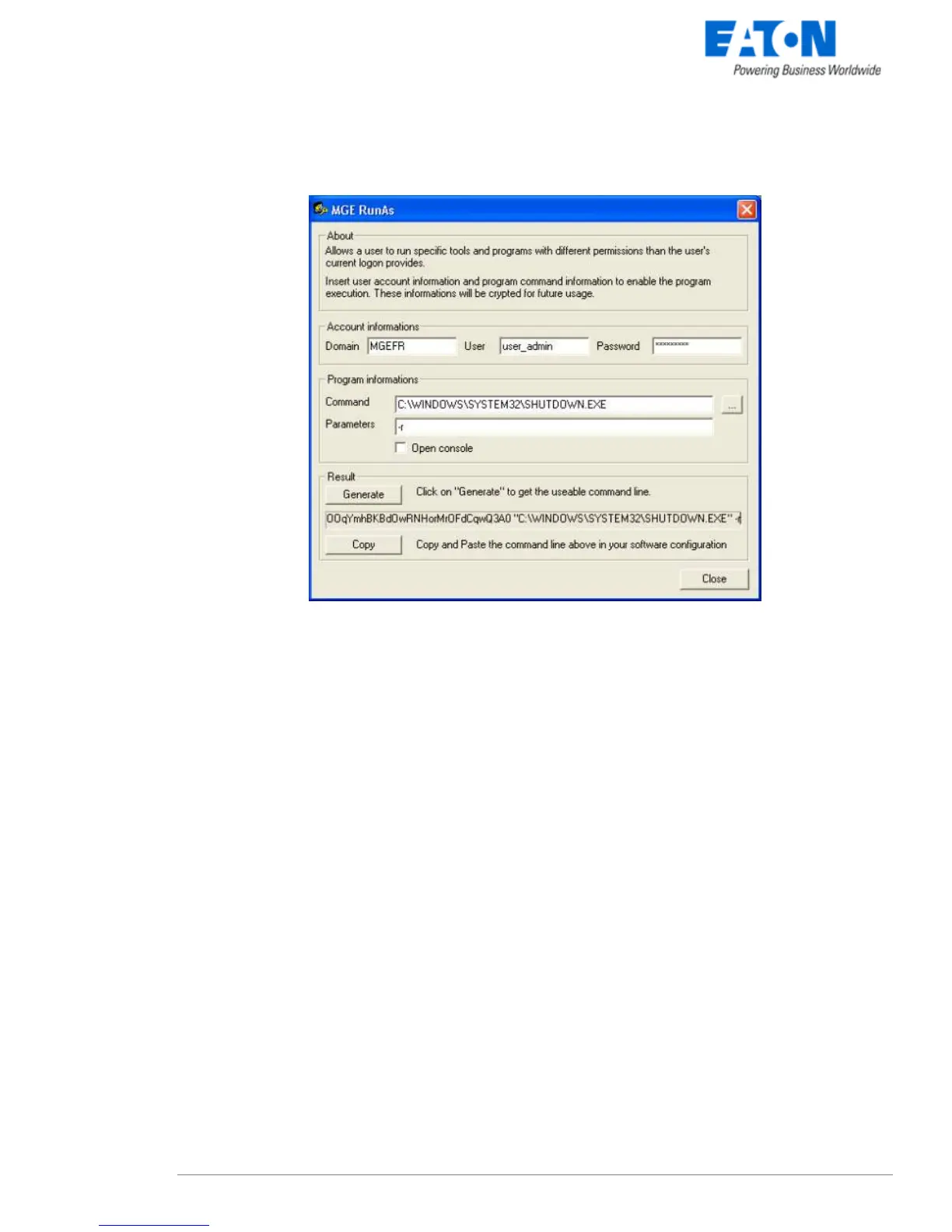
1. Fill in the domain name as well as the user's name and password.
2. Indicate the program or command to be run using the specified account.
3. Click the Generate button.
4. Copy the command line and paste it in your application. This line may be used as it is in a Network
Shutdown Module Run action or in a script file.
5. The Open console option opens a DOS emulation console during execution.
z Remark. The information on the user profile is encrypted in the command line. Encryption also depends
on the executable and the parameters mentioned. If the name of the executable or one of the parameters
is changed, the command line must be generated (encrypted) again.



 To Next Page