P.70
5.5 DIP Switch setting display
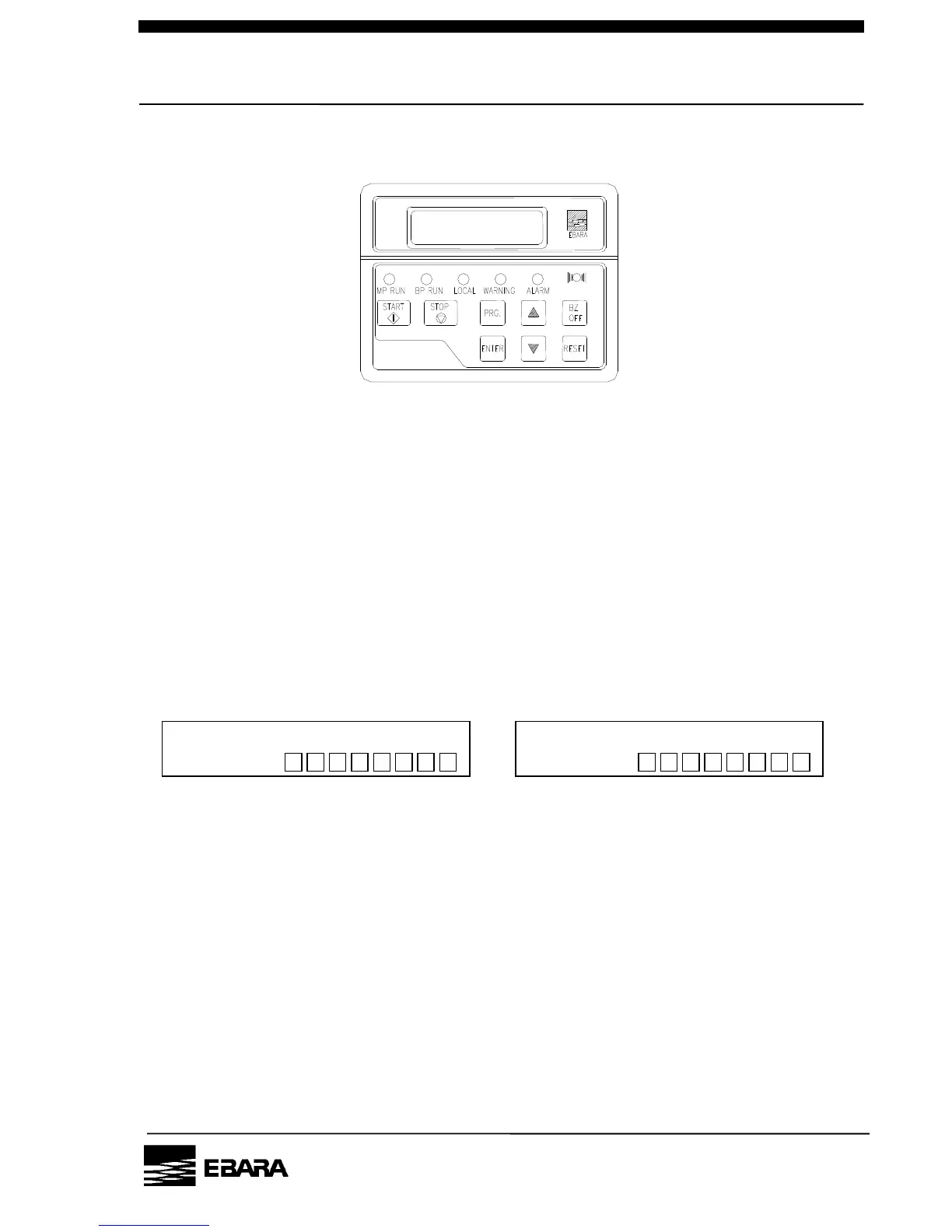
Fig 5.4 LCD controller
Key functions will be as follows on the setting display.
This stops pump operation.
This resets warning and alarm.
This switches the dip switch numbers.
This sets the selected dip switch ON.
This sets the selected dip switch OFF.
Move display level. Or indicate set up conditions.
DIP Switch-A DIP Switch-B
* indicates the dip switch number (1 to 8) currently you are setting.
Fig 5.5 DIP Switch
[NOTE] Duration of pump operation, dip switches, except A-3 (BUZZER) and B-8
(Initializes the LCD screen), can not be used for parameter setting.



 To Next Page