March 2013 60 IPV58
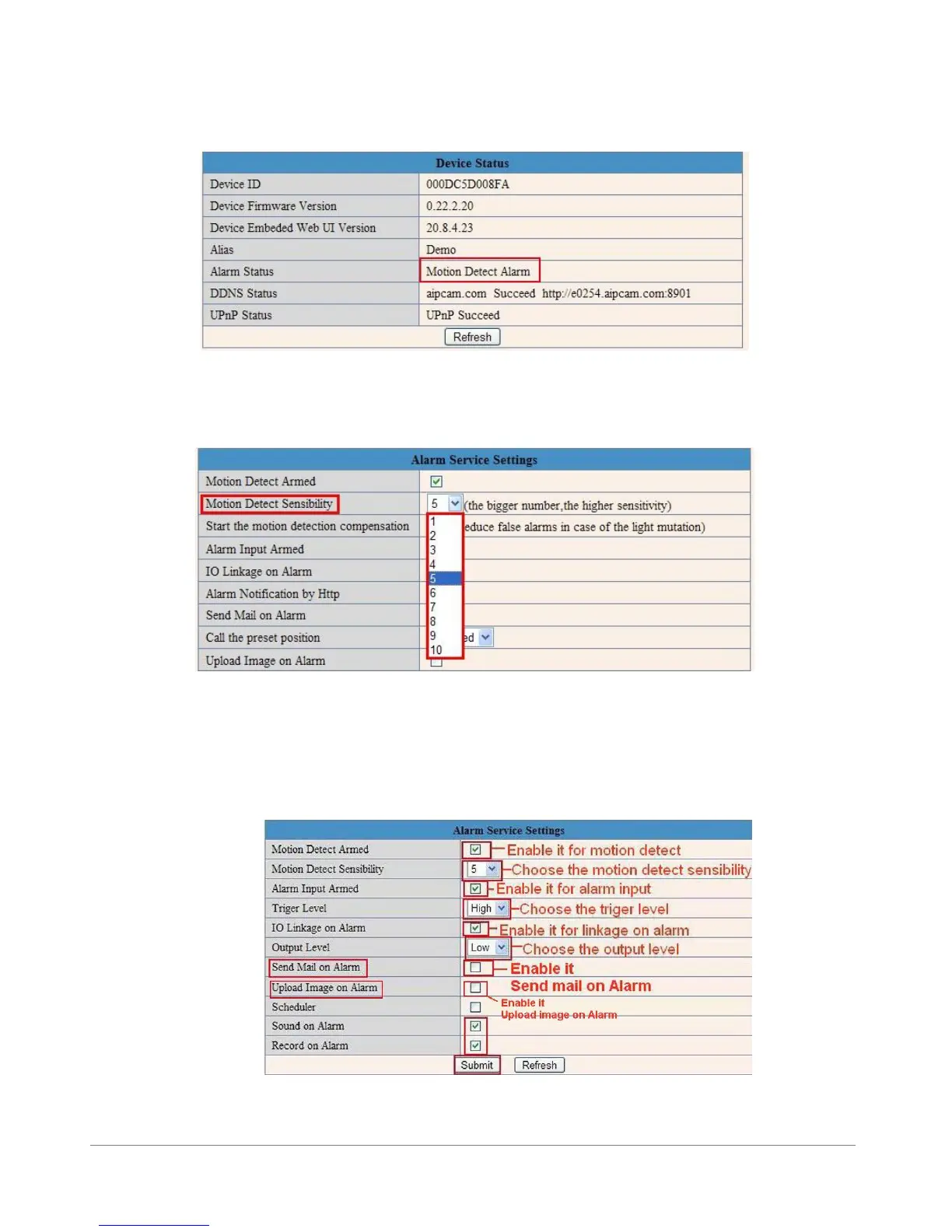
After you enable motion detect armed, if there is motion detected, the Alarm Status will turn to Motion
Detect Alarm. (Figure 9.8)
Figure 9.8
3.12.2 Motion Detect Sensibility
You can choose level 1-10; level 10 means the most sensitive, 1 means the least sensitive.
Figure 9.9
3.12.3 Alarm Input Armed / IO Linkage on Alarm
If you want to connect external alarm devices, when it’s an alarm input device, choose Alarm Input
Armed to enable it, when it’s an output device, choose IO Linkage on Alarm to enable it.
Figure 10.0



 To Next Page