SD Series Dry Cabinets Setup and Operation Manual | A55-7379-00 Rev: 2.0.0 Page 35
8.6 CLEAR HISTORY
Clear the stored memory. Performing this step clears unwanted data and starts logging data new data from
this point on.
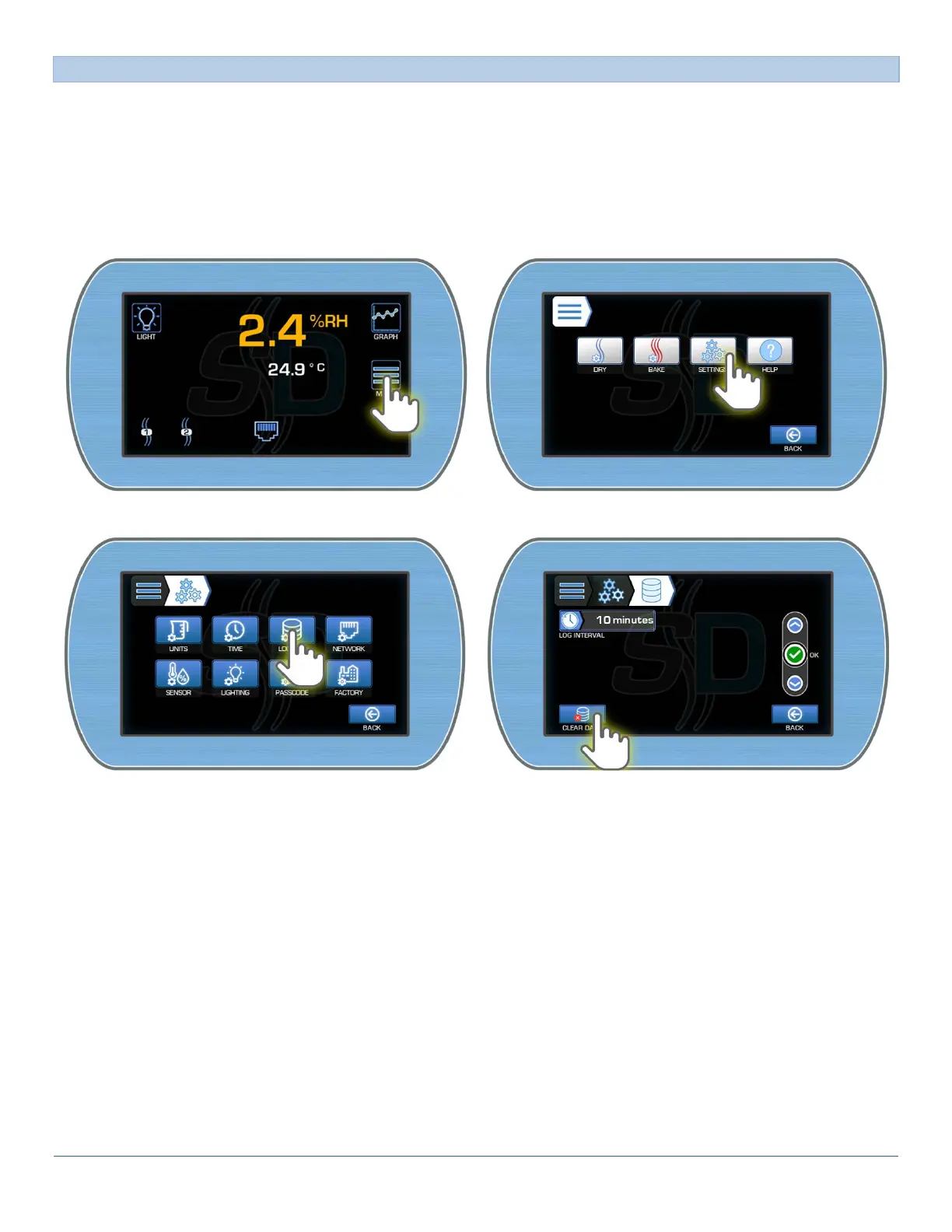
To clear history:
1) From the Main Display, enter the Main menu by pressing the Menu button. Enter the Other Settings
menu by pressing the Settings button.
2) Enter the Data Logging Settings by pressing the button. Press the Clear History button.
3) To exit the screen, select the Back button which takes you “Back” to the previous menu.



 To Next Page