SD Series Dry Cabinets Setup and Operation Manual | A55-7379-00 Rev: 2.0.0 Page 43
9.2.2 MANUAL BAKE
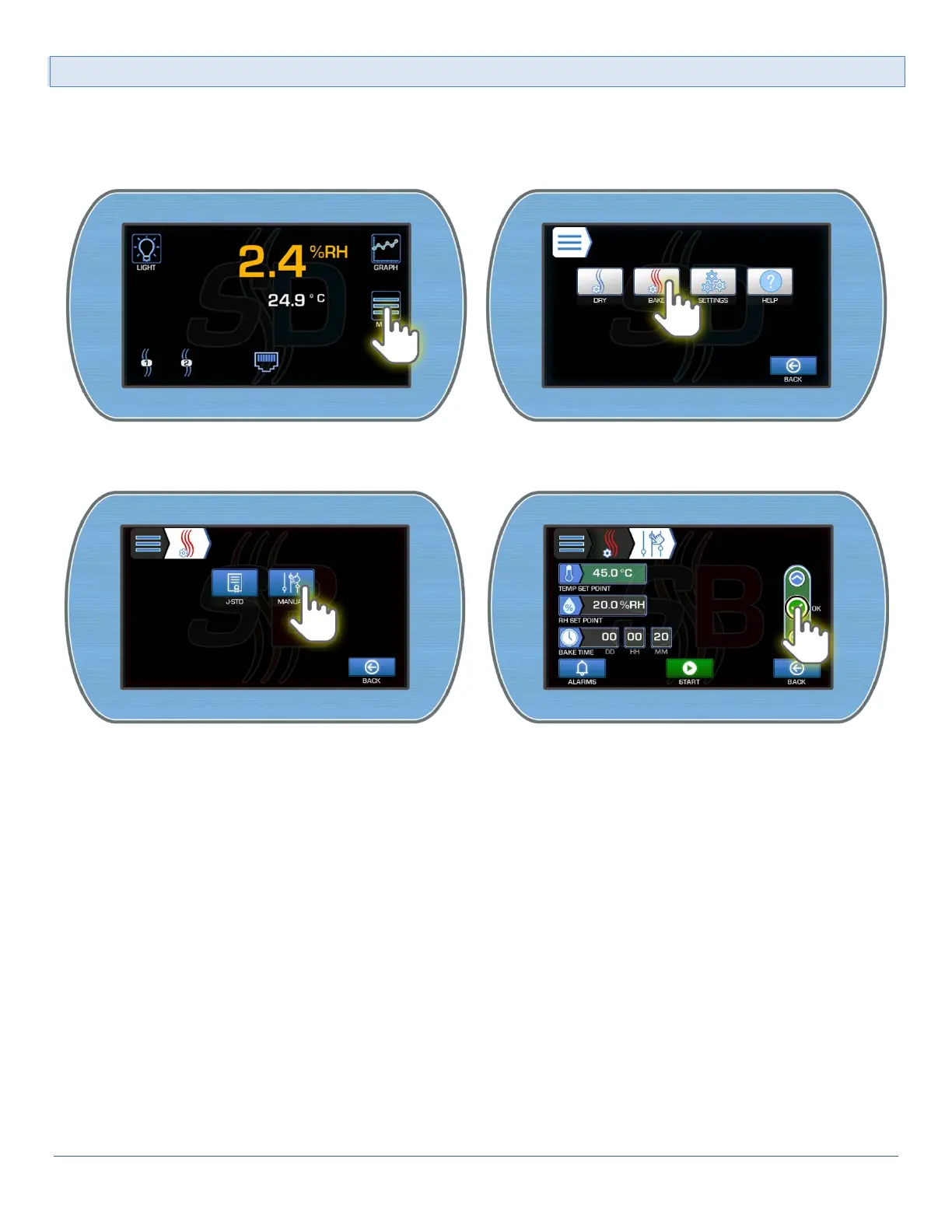
To access the Manual Bake Menu:
1) From the Main Display, enter the Main menu by pressing the Menu button. Enter the SmartBAKE™
Menu by pressing the Bake button.
2) Select the Manual button to enter the Manual settings screen. Edit the desired settings selecting the
OK button to accept each edited value.



 To Next Page