SD Series Dry Cabinets Setup and Operation Manual | A55-7379-00 Rev: 2.0.0 Page 42
9.2.1 J-STD-033
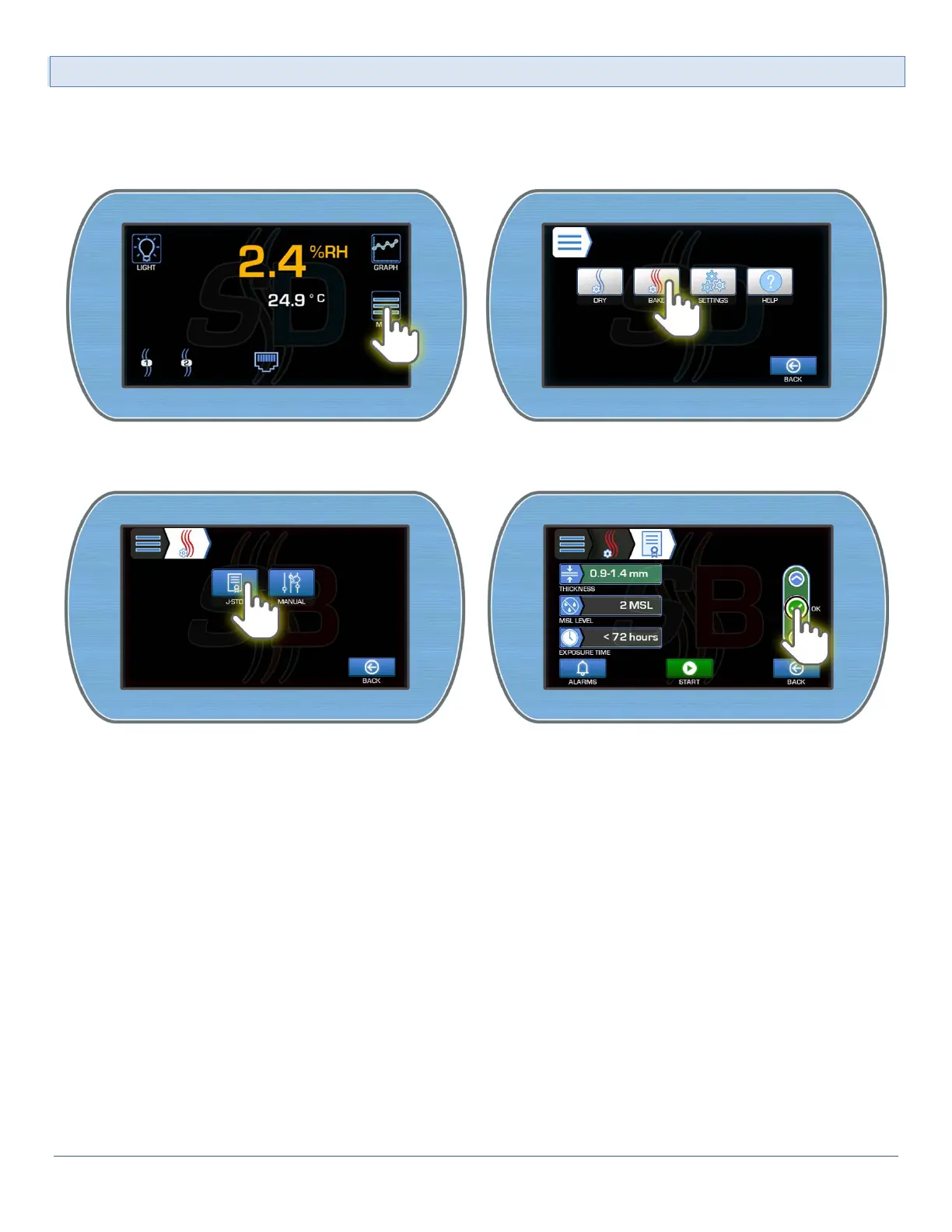
To access the J-STD-33 Menu:
1) From the Main Display, enter the Main menu by pressing the Menu button. Enter the SmartBAKE™
Menu by pressing the Bake button.
2) Select the J-STD button to enter the J-STD-033 settings screen. Edit the desired settings selecting the
OK button to accept each edited value.



 To Next Page