SD Series Dry Cabinets Setup and Operation Manual | A55-7379-00 Rev: 2.0.0 Page 38
9.1.1 RH SETPOINT
The dry RH value that SmartDRY™ is set to maintain. SmartDRY™ is a dryer and thus can only remove moisture
from the interior of the cabinet. Drying stops when the measured RH reaches the set point and resumes when
the measured RH value rises 0.5% above the set point.
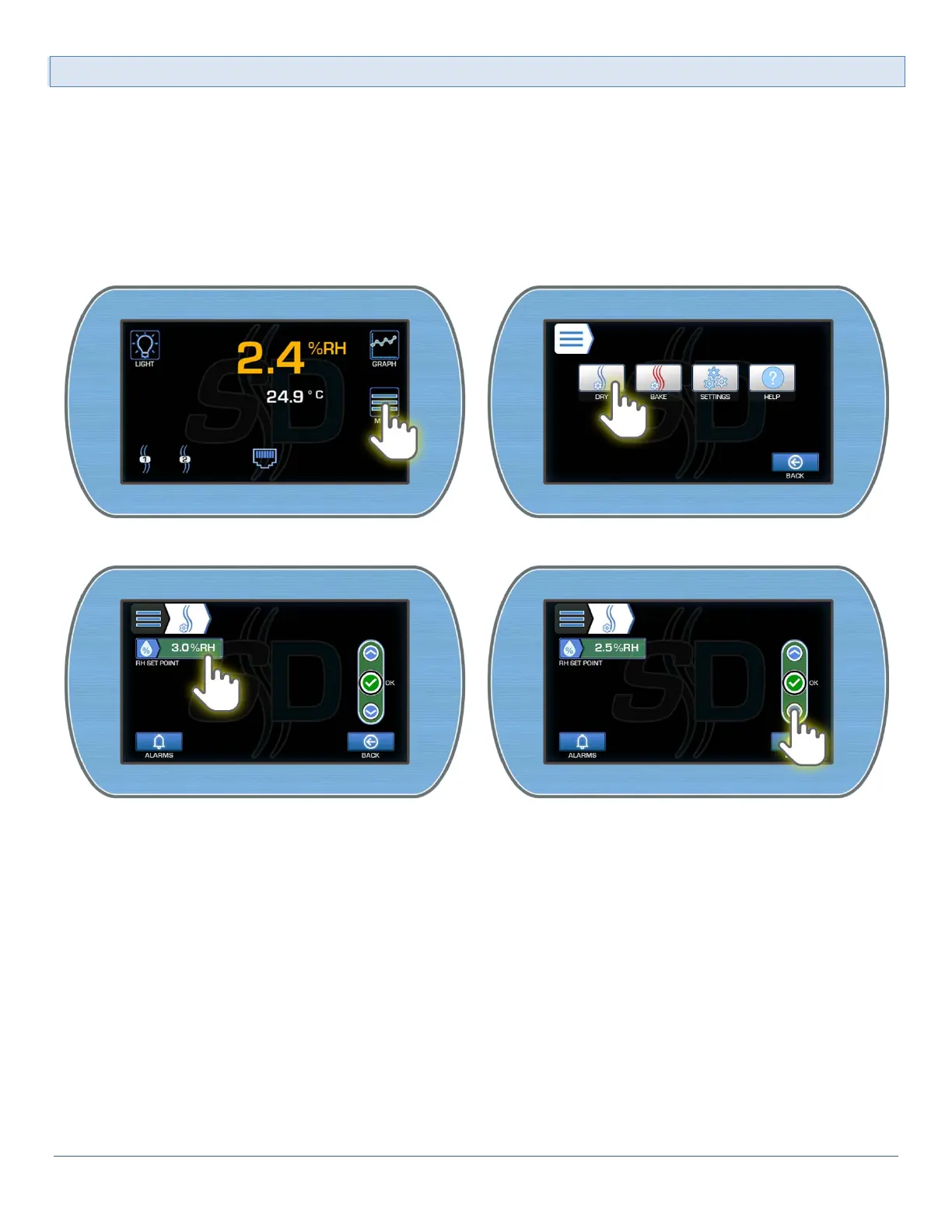
To access the RH Setpoint setting:
1) From the Main Display, enter the Main menu by pressing the Menu button. Enter the SmartDRY™ Set-
tings by pressing the Dry button.
2) Select the RH Setpoint field to make active. Use the Up or Down button to adjust the desired set point.
3) Once completed, select the OK button to accept the new value.



 To Next Page