SD Series Dry Cabinets Setup and Operation Manual | A55-7379-00 Rev: 2.0.0 Page 50
9.3.5 SENSOR
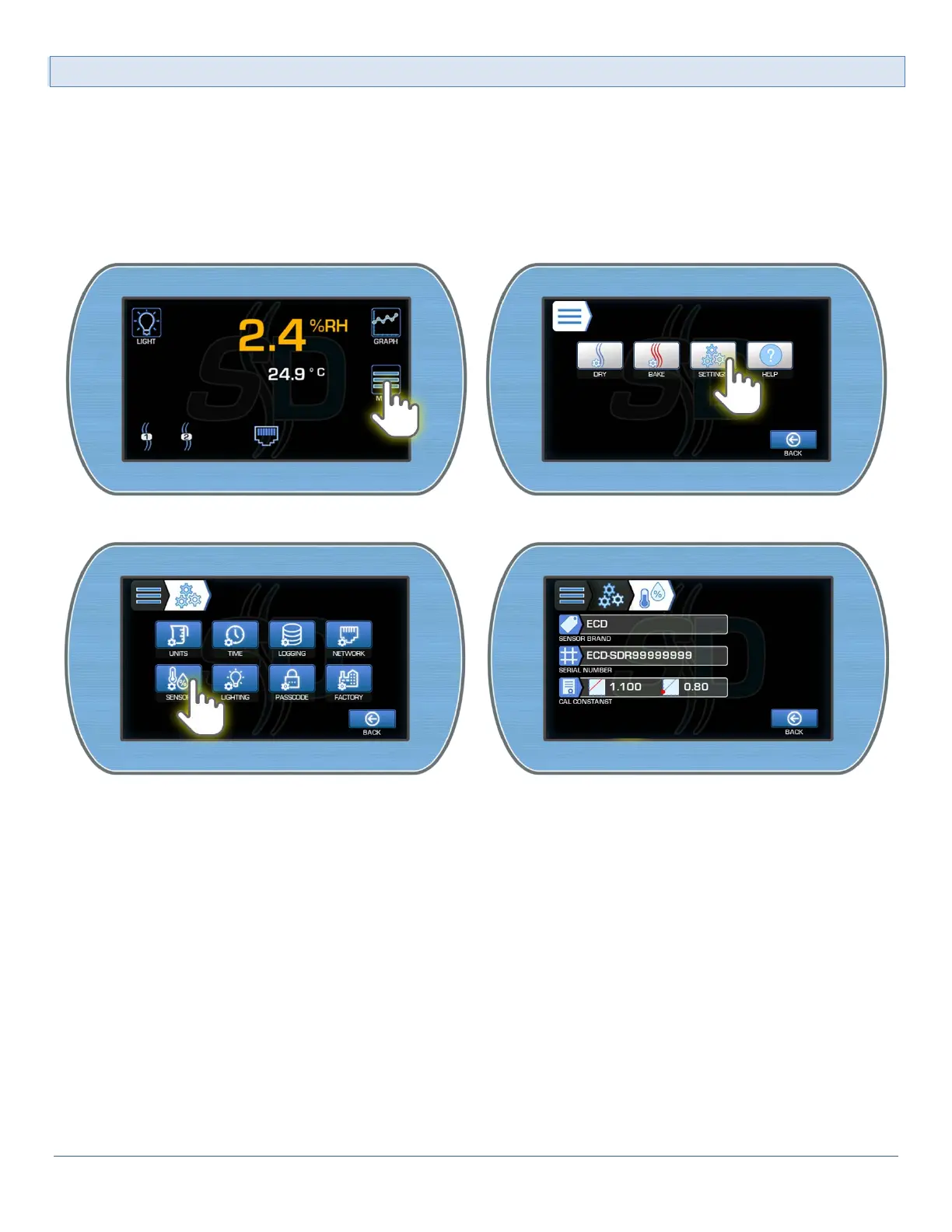
The RH/Temperature probe is calibrated independent of the SmartDRY™ Cabinet. It's calibration constants and
serial number are stored in the probe itself. These settings can be viewed here.
To access the RH/Temp Sensor Settings:
1) From the Main Display, enter the Main menu by pressing the Menu button. Enter the Other Settings
menu by pressing the Settings button.
2) Enter the Sensor Settings by pressing the Sensor button.



 To Next Page