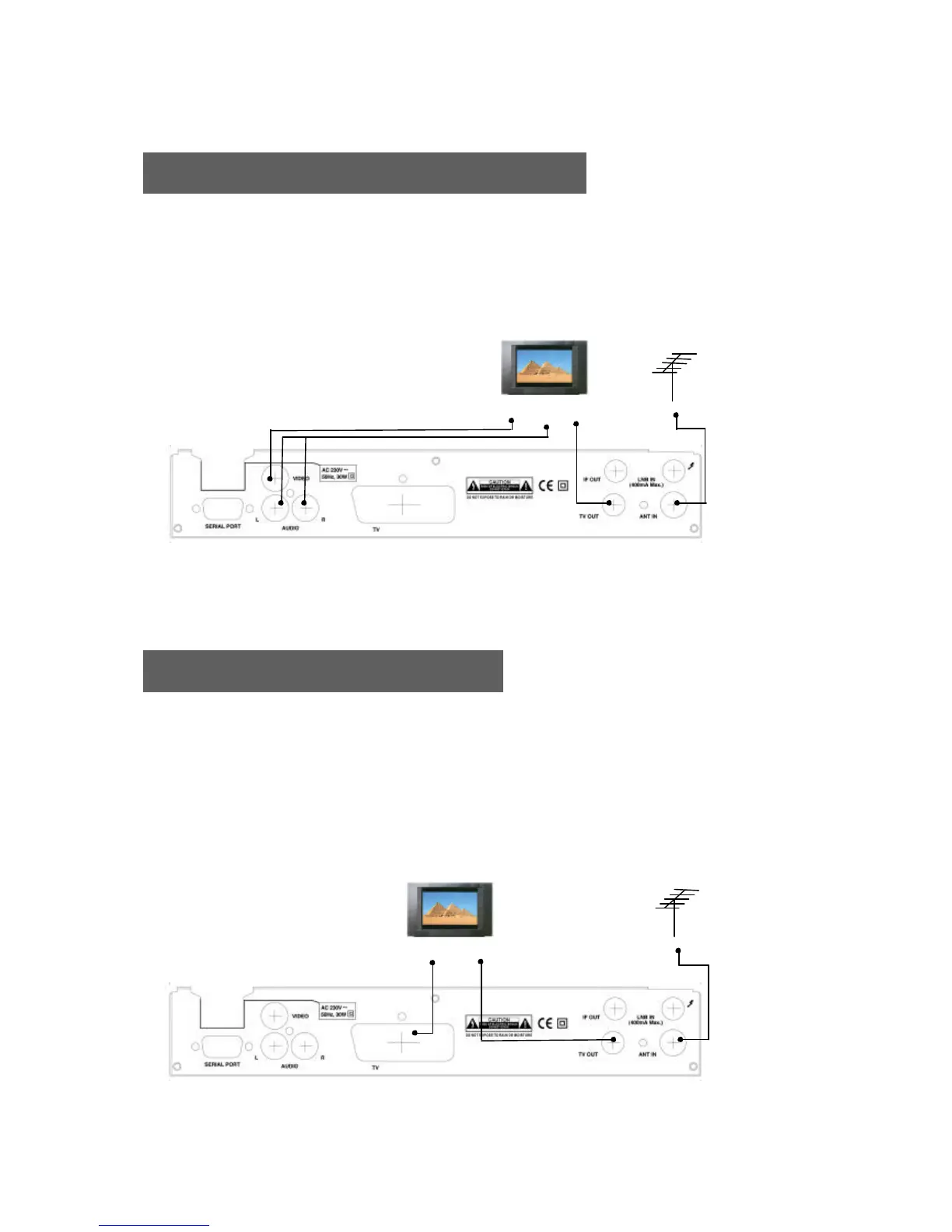
Receiver to TV with Audio and Video RCAs
1. Connect the Off-air TV antenna or cable if available to the ANT IN socket of the EchoStar DSB-700 FTA.
2. Connect the TV Out socket of the EchoStar DSB-700 FTA with the RF IN of the TV set.
3. Connect the Video and Audio RCAs of the EchoStar DSB-700 FTA to the Video and Audio RCAs
of the TV set.
Receiver to TV with SCART Cables
1. Connect the Off-air TV antenna or cable if available to the ANT IN socket of the EchoStar DSB-700 FTA.
2. Connect the SCART cable from the TV SCART of the EchoStar DSB-700 FTA to the SCART of the TV set.
3. Search on the VCR for UHF channel # 38. This is the default channel where the EchoStar DSB-700 FTA
is programmed to.
4. When the EchoStar DSB-700 FTA is switched on the TV set still will automatically switch to the SCART
input of the TV.
TV ANTENNA
TV
RF INVIDEO
AUDIO
IN
IN
TV ANTENNA
TV
TV SCART RF IN










 To Next Page