34
Adjusting/setting the screen
Basic operation
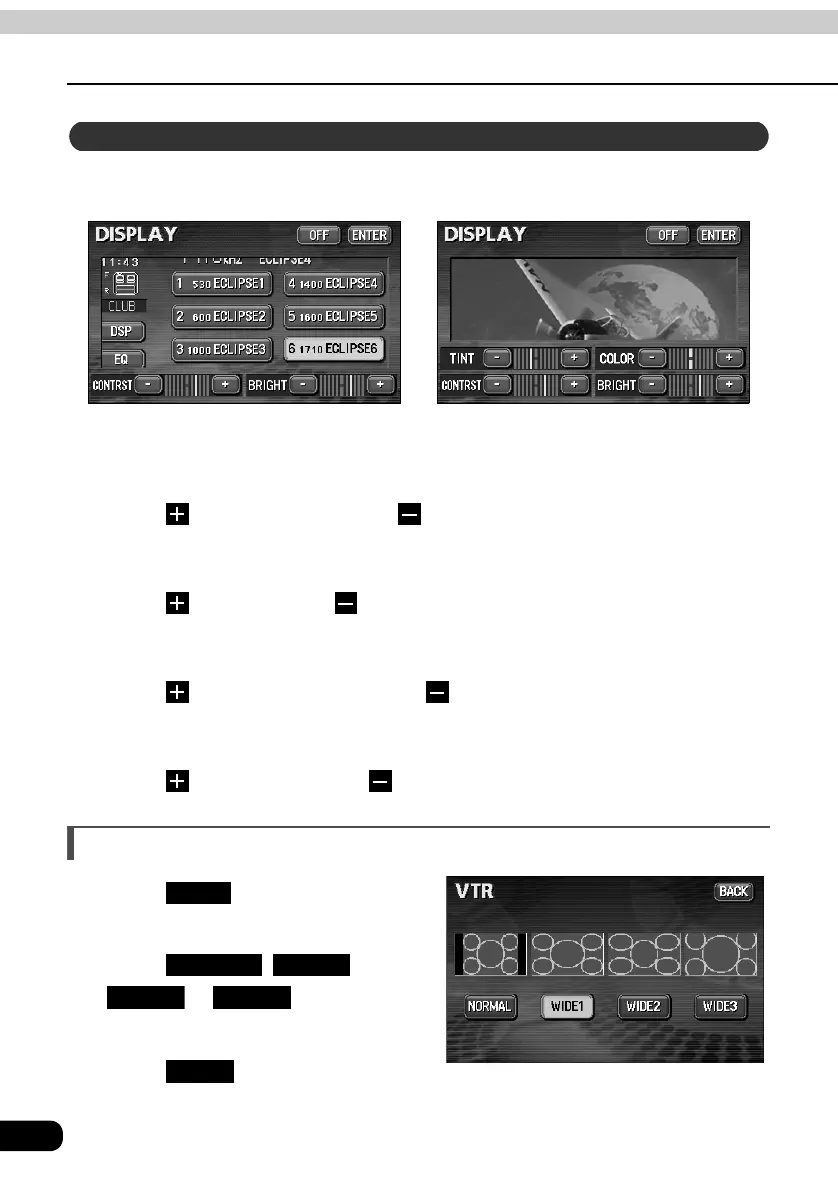
The day screen and night screen can be separately adjusted (on the audio operation screen,
the navigation screen, and the VTR screen).
■ CONTRAST
Touch to strengthen contrast, to weaken contrast.
■ BRIGHT
Touch to make lighter, to make darker.
■ COLOR (for VTR screen only)
Touch to strengthen green color, to strengthen red color.
■ TINT (for VTR screen only)
Touch to make tint darker, to make tint lighter.
Switching screen mode
Touch on VTR operation
screen.
Touch , ,
or .
• This selects the wide mode.
Touch .
• Returns to the VTR operation screen.
Adjusting image quality
● When adjusting audio operation screen or
navigation screen
● When adjusting VTR screen
WIDE
NORMAL WIDE1
WIDE2 WIDE3
BACK



 To Next Page