48
How to operate the CD player
How to use the CD player
Listening to a CD
When a CD is inserted into the disc slot, it automatically starts playing.
Press while a CD is inserted.
Touch .
• Playback will begin.
Selecting a song
You can select a song you want to hear.
Press or .
• (up): Selects next song
(down): Selects previous song
Restarts current track. Pressing the down button once more continu-
ously plays previous tracks.
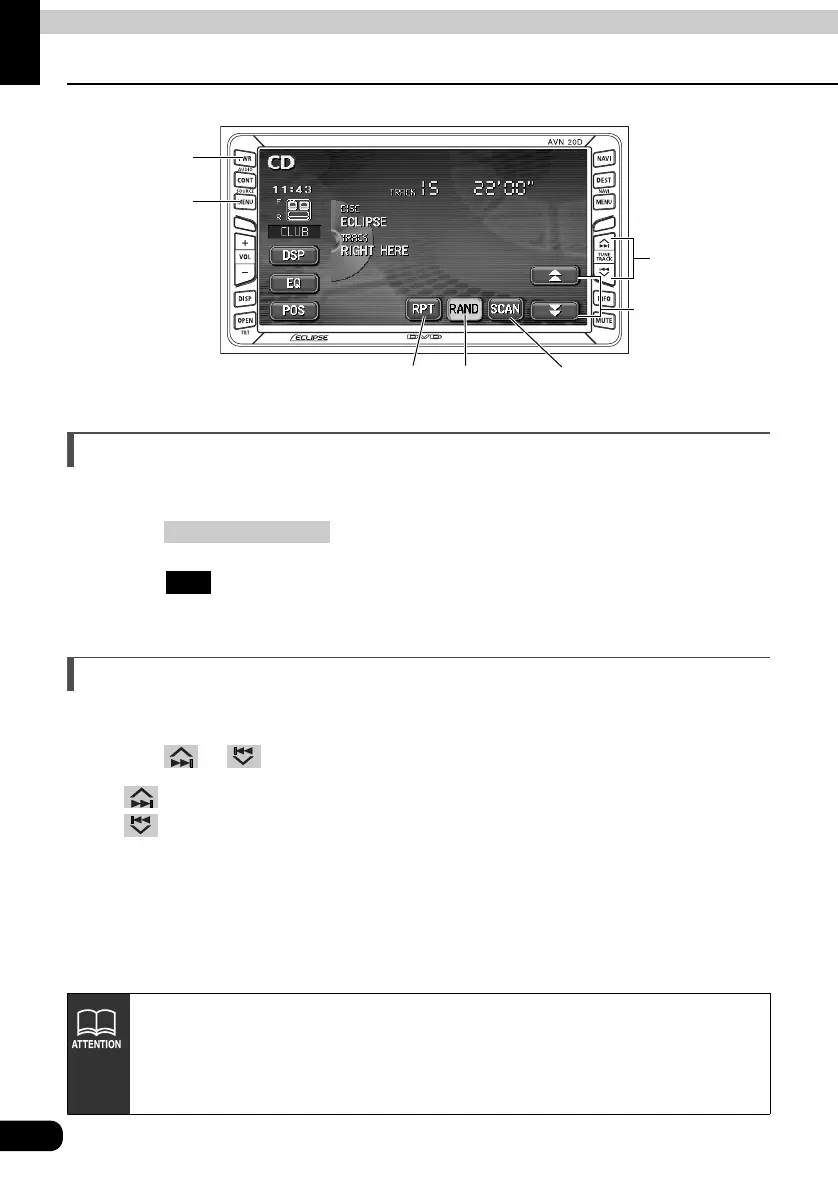
PWR
Button
(SOURCE) MENU
Button
Repeat
Switch
Random
Switch
Scan
Switch
Fast-forward
(rewind) switches
Track selection
(track start point)/
Fast-forward
(rewind) Button
(SOURCE) MENU
CD
• Titles and song names can be displayed when they are recorded on a CD. Up
to 32 characters can be shown in the display.
• Only characters recorded by ASCII code can be shown on the CD-TEXT display.
• The CD-TEXT display may not be able to show characters for discs recorded
with many title characters.



 To Next Page