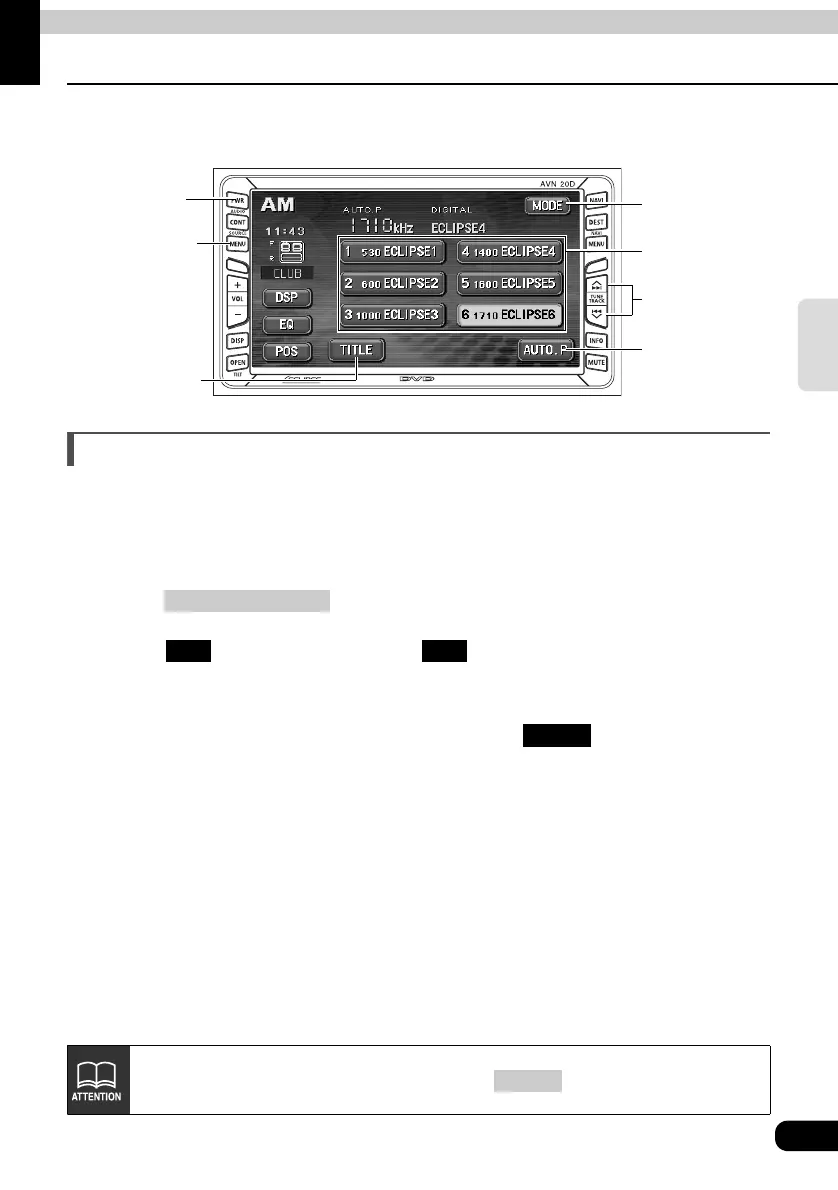
How to operate the tuner
41
RADIO
How to use HD Radio
When an optional HD RADIO (High Definition Radio) tuner is connected, HD RADIO
(High Definition Radio) broadcasts can be received.
Listening to HD RADIO (IBOC)
When receiving HD Radio (High Definition Radio) broadcasts, FM reception has the same
quality as a CD, and AM reception has the same quality as conventional FM sound.
Depending on the reception status, HD Radio can also receive analog broadcasts, which
means reception is still possible in regions with no digital coverage.
Press .
Touch to receive AM radio, or to receive FM radio.
• When an HD RADIO (IBOC) tuner is connected and a digital broadcasting program is
received, "DIGITAL" is displayed.
• When an HD RADIO (IBOC) tuner is connected, the
touch switch becomes
available.
PWR
Button
(SOURCE) MENU
Button
AUTO.P
Switch
Preset
Switches
TUNE TRACK
Button
Title
Switch
MODE
Switch
(SOURCE) MENU
AM FM
TITLE
To receive AM/FM analog broadcasting, touch and select "OFF."
MODE



 To Next Page