29
29
CHECK
You can switch the screen mode from DVD,
iPod-video, or VTR setting screen.
● You can display the switch as follows.
DVD:
Touch on the operation screen, and
touch .
iPod-video/VTR:
Touch on the operation screen.
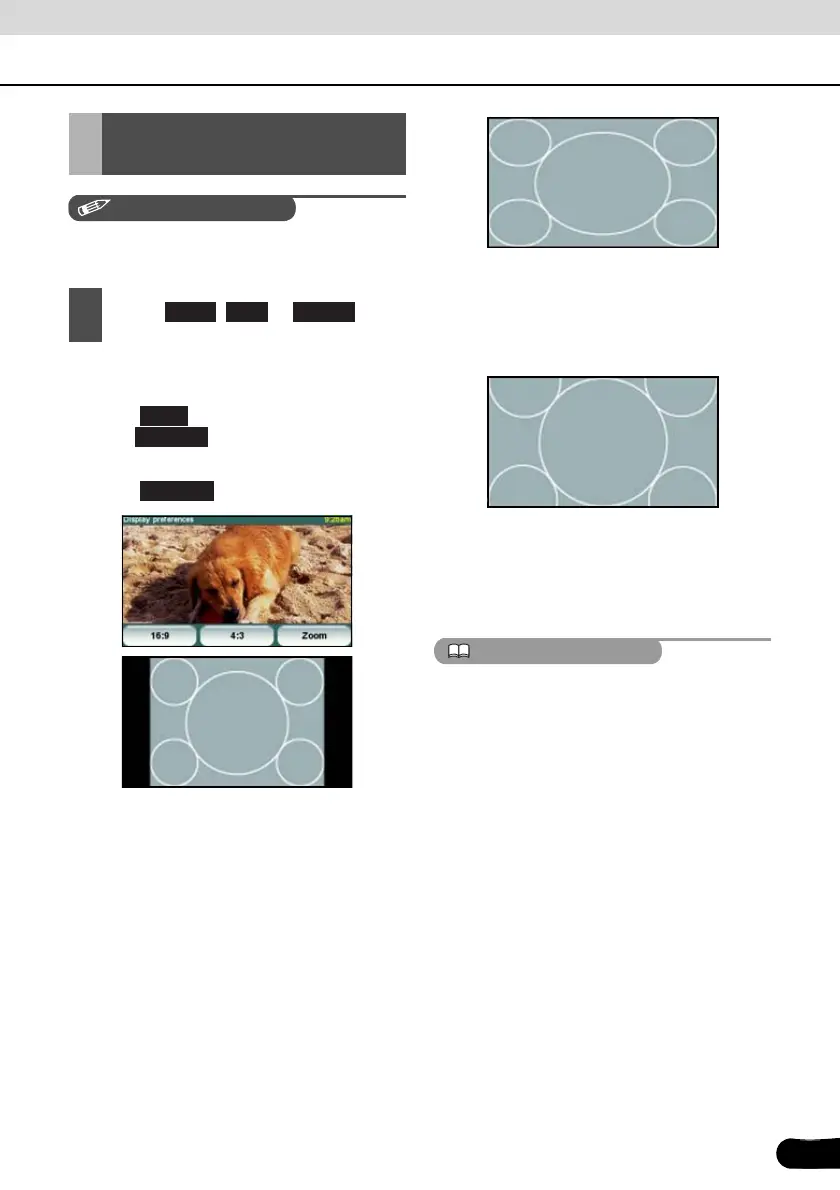
● 4:3 mode
The screen is shown with the 3 (vertical) by 4
(horizontal) aspect ratio (normal TV screen
size) and side edges are black.
● 16:9 mode
The screen with the 9 (vertical) by 16
(horizontal) aspect ratio (normal TV screen
size) is uniformly expanded in the left and
right directions.
● Zoom mode
The screen with the 3 (vertical) by 4
(horizontal) aspect ratio (normal TV screen
size) is uniformly expanded in the up, down,
left and right directions.
ATTENTION
The user should not experience any problems
when watching a video on the wide screen on
a personal basis. If you compress or enlarge
the screen for commercial purposes or to
display to the public, it may infringe a copyright
that is protected by copyright laws.
Switching the Wide
Screen Mode
1
Touch , or .
16:9 4:3 Zoom
Next
Display
Display



 To Next Page