41
41
● The BAND changes.
[XM1] J [XM2] J [XM3] J [XM4] ... J
return to [XM1]
■ Searching the channel upward or
downward within the selected
category
● Up: Searches the channel upward within
the selected category.
Down: Searches the channel downward
within the selected category.
■ Selecting a category
● Up: Advances to the next category.
Down: Returns to the previous category.
■ Selecting a channel
● Right: Selects the higher channel.
Left: Selects the lower channel.
● Searches the channel in the category
currently selected.
Right: Selects the next preset channel.
Left: Selects the previous preset channel.
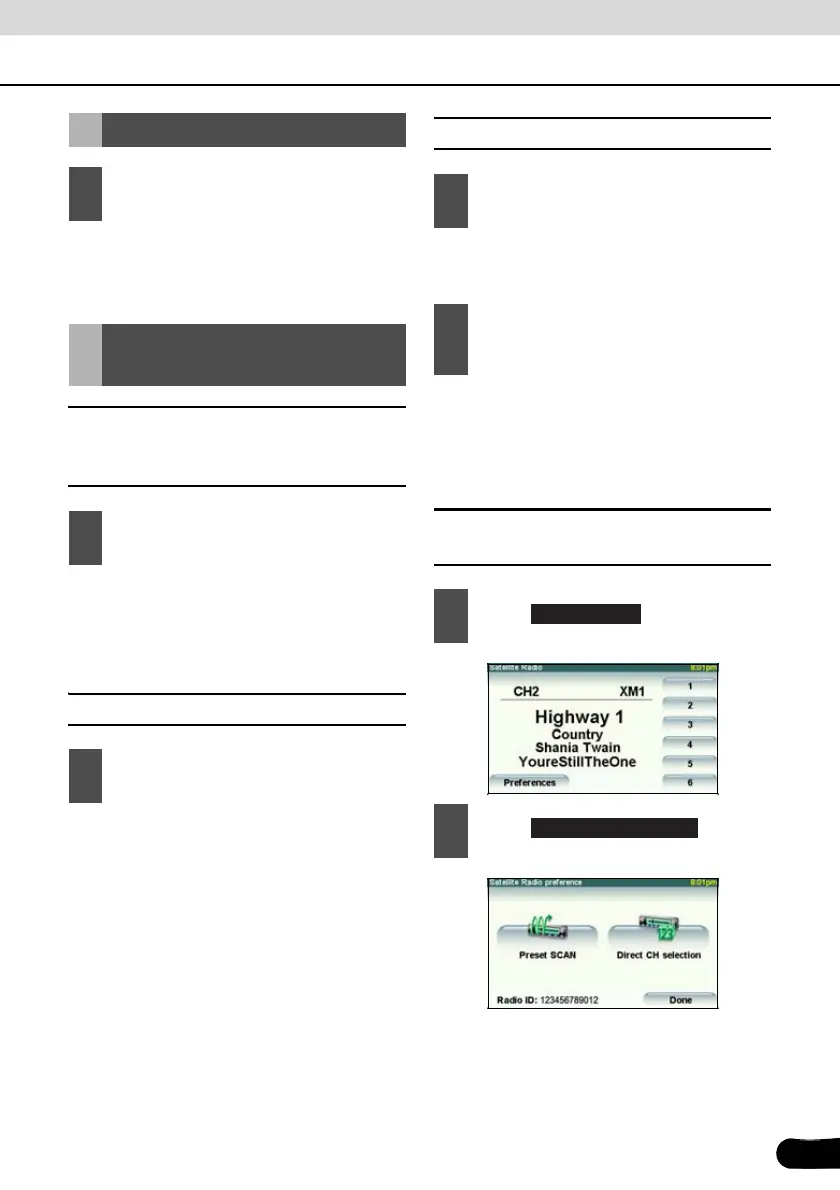
■ Selecting a channel by direct
input
Changing the XM band
1
Press the [BAND] button.
Selecting the channel
you want to listen to
1
Press the [SELECT (Up)] or [SELECT
(Down)] button.
1
Press the [SELECT (Up)] or [SELECT
(Down)] button for 1 or more seconds.
1
Press the [SELECT (Right)] or
[SELECT (Left)] button.
2
Press the [SELECT (Right)] or
[SELECT (Left)] button for 1 or more
seconds.
1
Touch .
2
Touch .
Preferences
Direct CH selection



 To Next Page