68
68
Using the DVD Player
Visual operations
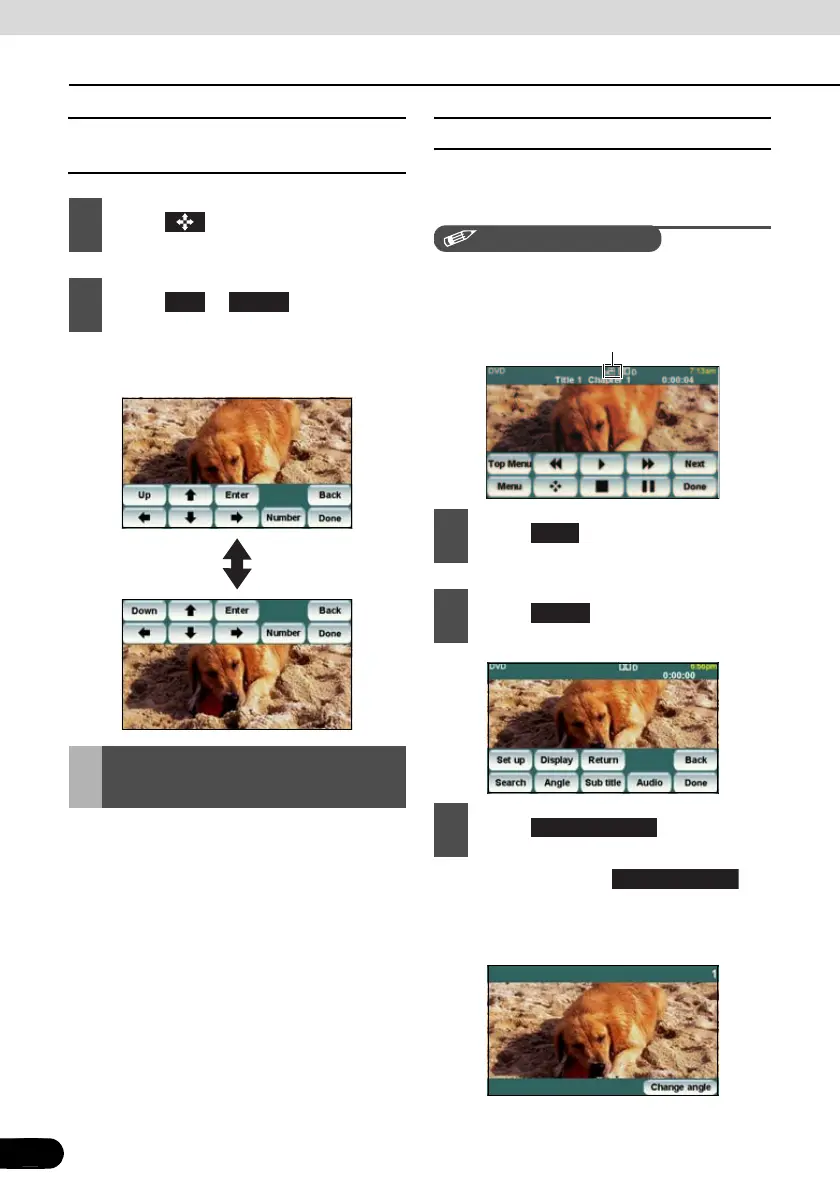
■ Relocating the Touch Switch
Display
● The touch switch display moves up or
down each time you touch them.
You can change the subtitle language, audio
language, or display angle of a video to be
played.
■ Changing the Angle
If the target disc supports multiple angles,
you can change them to display a video.
CHECK
While the multi-angle mark is displayed on the
screen, you can change the currently
displayed angle.
● Each time you touch , the
angle number is changed, and the angles
recorded on the disc are toggled in
sequence.
1
Touch .
2
Touch or .
Changing the Screen
Display and Audio Mode
Up Down
1
Touch .
2
Touch .
3
Touch .
Multi-angle mark
Next
Angle
Change angle
Change angle



 To Next Page