116
Mounting instruction
–If installing the main unit by the side brackets of the vehicle–
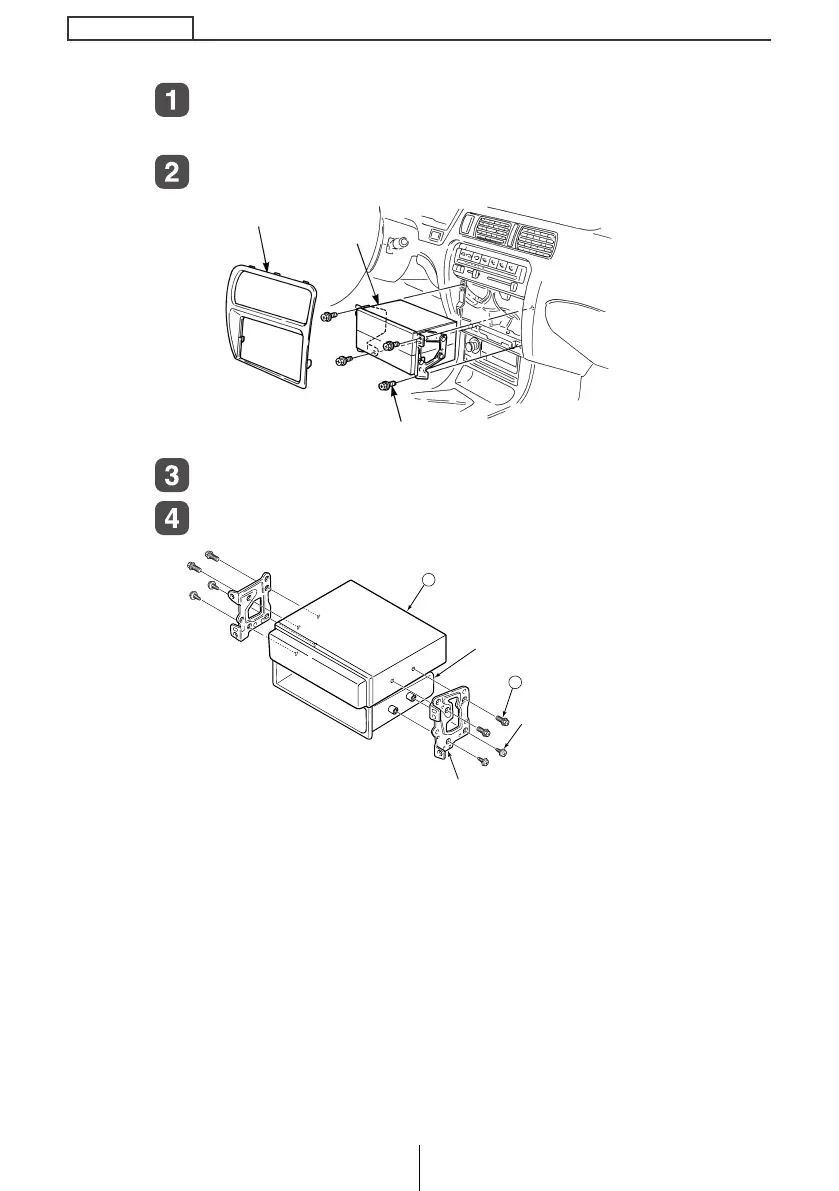
Remove the pockets and any other accessories from the
center cluster to make room for the main unit.
Remove the mounting side brackets for the pocket.
Attach the side brackets to the main unit.
Install the main unit in the vehicle.
CENTER CLUSTER
POCKET
SCREWS
1
10
MAIN UNIT
POCKET
HEX-HEAD BOLT
(red : 5 x 8 mm)
SCREWS [x 4]
SIDE BRACKETS
CD5435.book 116 ページ 2004年12月11日 土曜日 午後5時29分



 To Next Page