88
How to operate the receiver with an optional CD changer connected
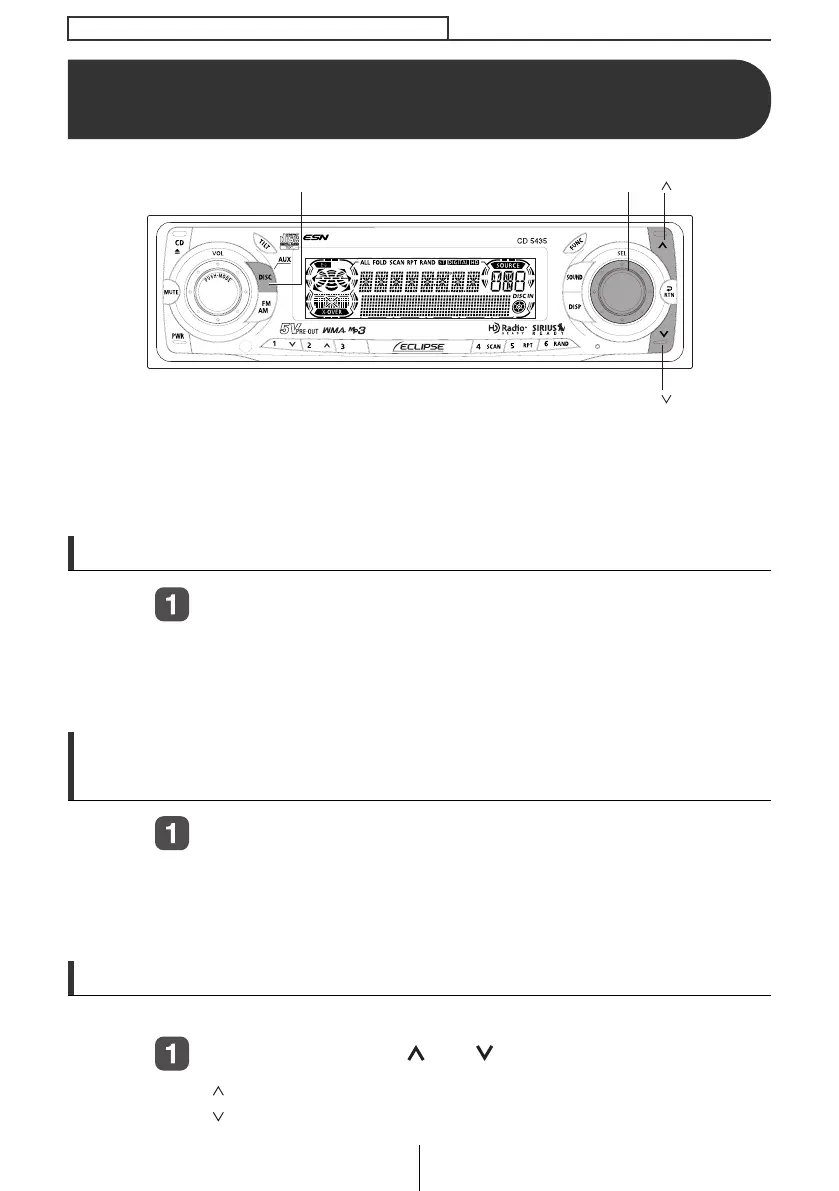
How to operate the receiver with an
optional CD changer connected
This section covers the operation of an optional CD changer that is
connected to the receiver.
To switch from another mode, press the [DISC] button for less than one
second.
Listening to a CD
Press the [DISC] button for less than one second.
Each press of the button switches the mode from CD Player ➔
CD Changer 1 ➔ CD Changer 2.
A changer or player with no discs loaded will be skipped.
Advancing to the next track or returning to the
beginning of the track being played
Turn the [SEL] button to the left or right.
Turn to the right: Advances to the next track.
Turn to the left:
Returns to the beginning of the track being played.
(Repeat turning for previous tracks.)
Fast Forward/Rewind
Fast forward or rewind the song currently being played.
Press and hold the [ ] or [ ] button.
[ ] button: Fast forward.
[ ] button: Rewind.
[SEL] button
[DISC] button
[ ] button
[ ] button
CD5435.book 88 ページ 2004年12月11日 土曜日 午後5時29分



 To Next Page