62
How to operate the MP3/WMA player
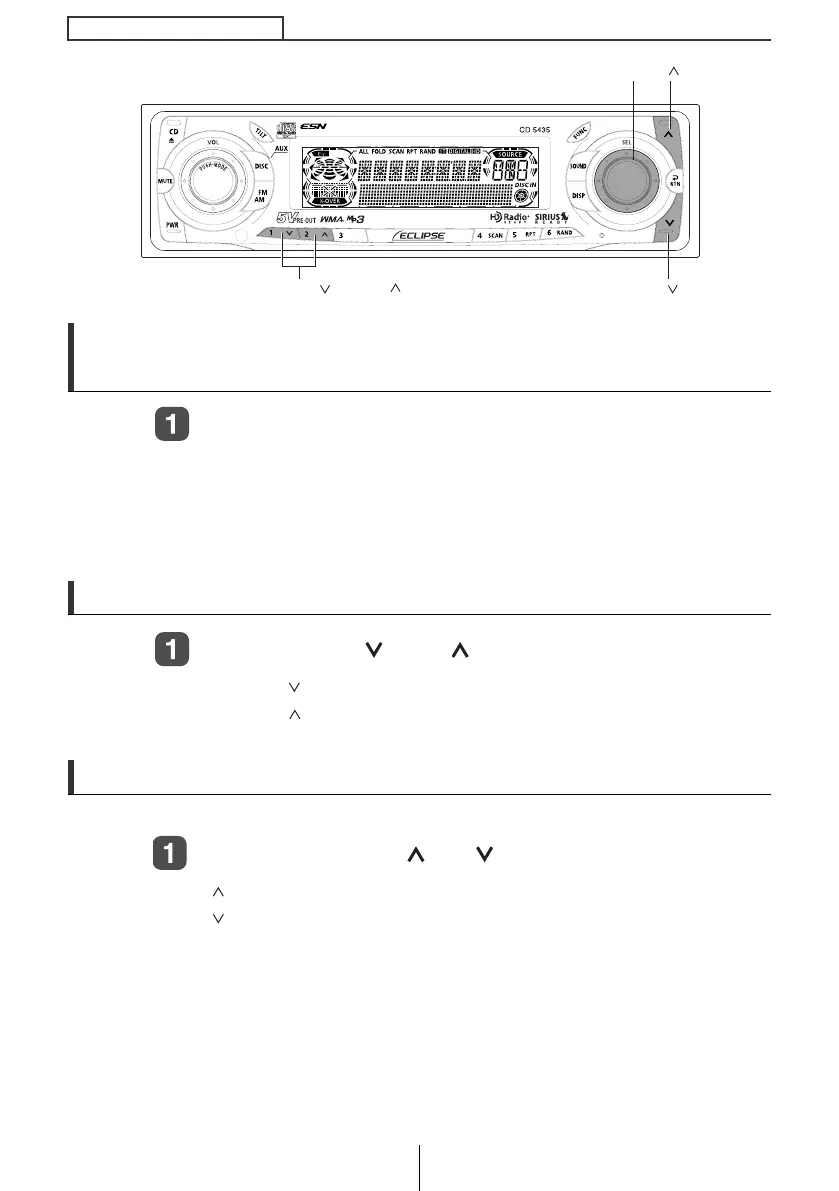
Advancing to the next track (file) or returning to the
beginning of the track (file) being played
Turn the [SEL] button to the left or right.
Turn to the right: Advances to the next track (file).
Turn to the left: Returns to the beginning of the track (file) being
played.
Repeat turning for previous tracks (files).
Skipping to the next or previous folder
Press button [1 ] or [2 ].
Button [1 ]: Selects the next lower folder.
Button [2
]: Selects the next folder.
Fast Forward/Rewind
Fast forward or rewind the song currently being played.
Press and hold the [ ] or [ ] button.
[ ] button: Fast forward.
[ ] button: Rewind.
[SEL] button
[ ] button
[ ] button
Buttons [1 ] and [2 ]
CD5435.book 62 ページ 2004年12月11日 土曜日 午後5時29分



 To Next Page