38
Basic operation
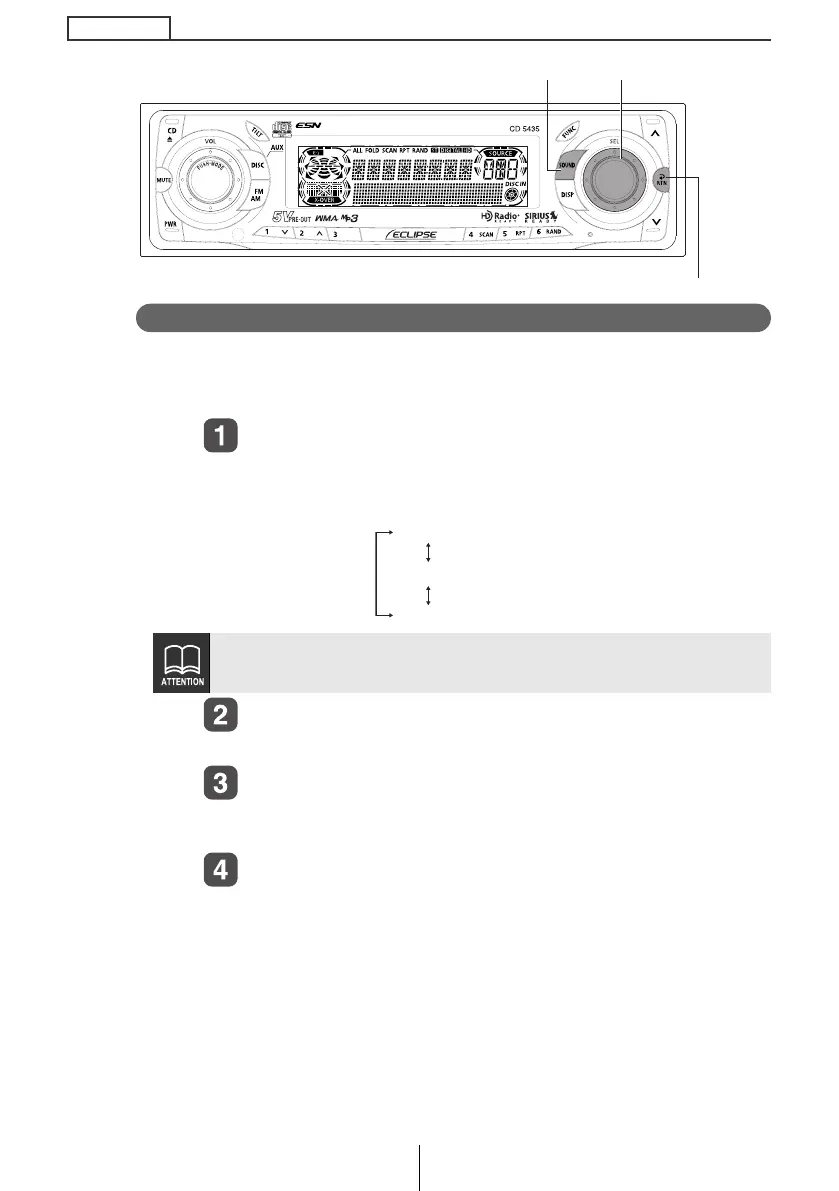
Crossover adjustment (X-Over NF)
Adjusts woofer (non-fader output) LPF (Low Pass filter). The system
allows you to select from several cut off frequencies: PASS, 80Hz
and 100Hz.
Turn the [SEL] button to select the cut-off frequency.
When the button is turned, the frequency changes in the
following order.
Press the [SEL] button.
The selected cut off frequency will take effect.
Press the [RTN] button.
At this time, other adjustments can also be made in sound
adjustment mode.
Press the [SOUND] or [RTN] button to exit sound
adjustment mode.
Slope is fixed at 18dB/oct. Adjustments cannot be made.
[SEL] button
[RTN] button
[SOUND] button
PASS
80 (Hz)
100
Hz
CD5435.book 38 ページ 2004年12月11日 土曜日 午後5時29分



 To Next Page