Part 10 - Lighting the appliance / First start-up
Set the comfort level
Set the maximum central heating temperature
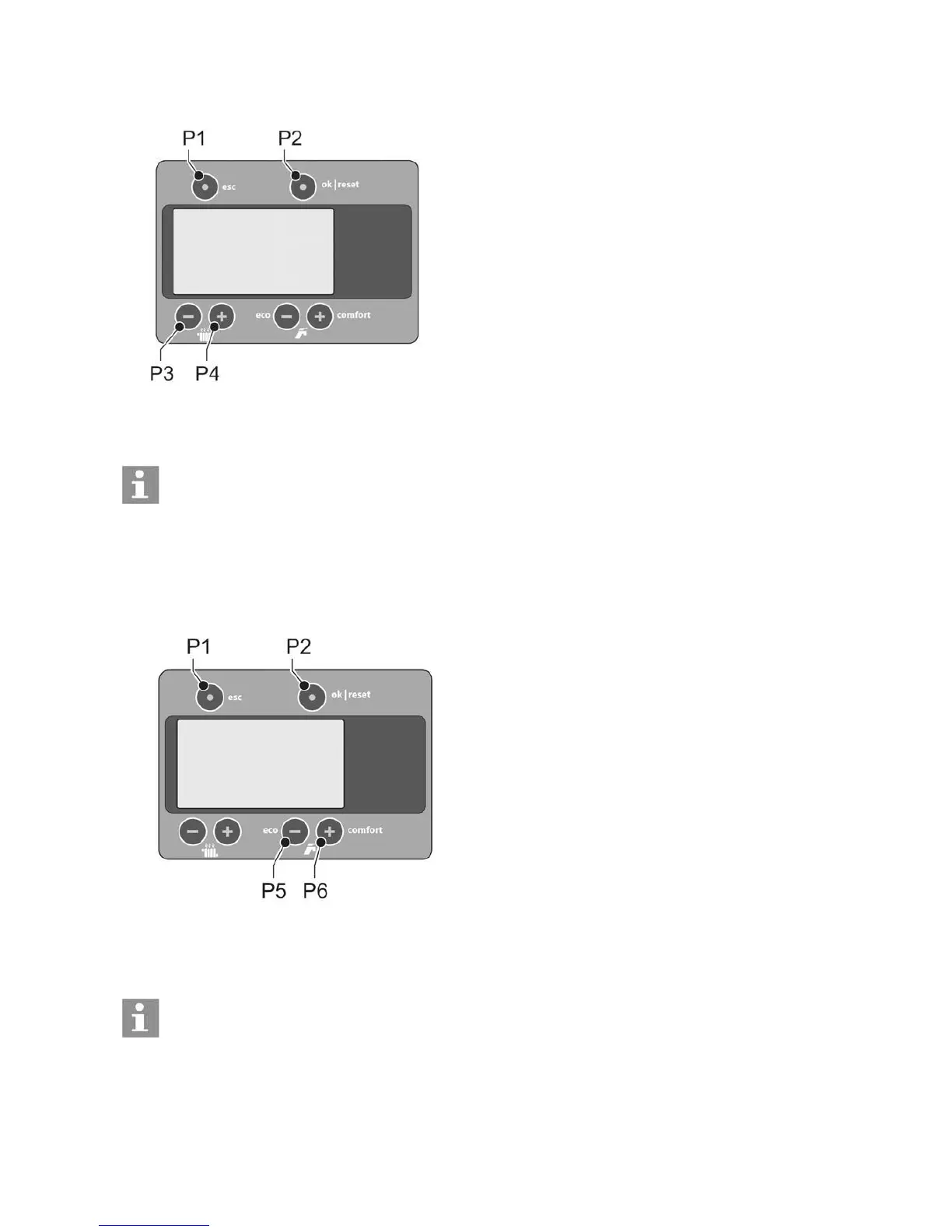
1. Press [P3] or [P4]. The maximum CH temperature is shown. The ‘radiator’ symbol is flashing.
2. To change the CH temperature:
a. Decrease the maximum CH temperature using [P3].
b. Increase the maximum CH temperature using [P4]. 3.
Press [P2] within 30 seconds to confirm the change.
Notice
In case you wait longer than 30 seconds or in case you press [P1], the adjusted setting will be cancelled.
Set the hot water comfort
The hot water can be set to three comfort types:
• Eco: The hot water is only heated when there is a hot water demand. The temperature of the DHW heat
exchanger is not maintained. This saves energy.
• Comfort: the temperature is maintained 24 hours a day, and is checked every hour.
• Ecomfort: The thermostat works in the comfort position by day and in the eco position by night (Only in
combination with an OpenTherm® room thermostat).
1. Press [P5] or [P6] to open the comfort menu. The ‘tap’ symbol in the display is flashing.
2. Select the hot water comfort:
• Press [P5] to select ‘eco’.
• Press [P5] twice to select ‘ecomfort’ (only with OpenTherm® room thermostat).
• Press [P6] to select ‘comfort’.
• Press [P2] within 30 seconds to confirm the change.
Notice
In case you wait longer than 30 seconds or in case you press [P1], the adjusted setting will be cancelled.
56



 To Next Page