EasyManua.ls Logo

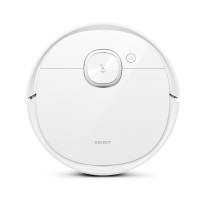
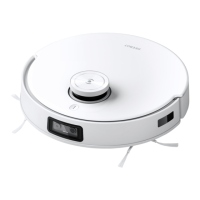
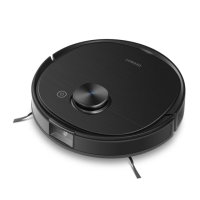
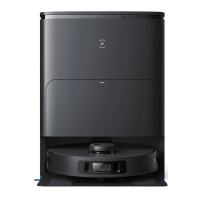
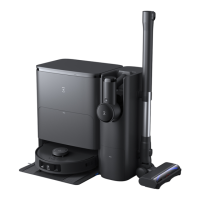
ECOVACS DEEBOT T30S - User Manual

ECOVACS DEEBOT T30S
89 pages
Print Icon
To Next Page IconTo Next Page
Loading...
Instruction Manual

Questions and Answers

  • J
    Jessica BoltonSep 13, 2025
    Why ECOVACS Vacuum Cleaner DEEBOT Side Brush falls out?
    • S
      Shelby GriffinSep 13, 2025
      If the Side Brush of your ECOVACS Vacuum Cleaner DEEBOT drops out of place during use, it is likely because the Side Brush is not properly installed. Ensure the Side Brush clicks into place when installing.
  • K
    Kristy WelchSep 15, 2025
    What to do if ECOVACS DEEBOT T30S Vacuum Cleaner DEEBOT Driving Wheels are blocked?
    • A
      Antonio LeonSep 15, 2025
      If the Driving Wheels of your ECOVACS Vacuum Cleaner DEEBOT are blocked, it is because Driving Wheels are blocked by foreign objects. Rotate and press the Driving Wheels to check for any wrapped or stuck foreign objects. If there are any, clean them. If the problem persists, contact Customer Care for help.
  • C
    Carrie WalkerNov 27, 2025
    What to do if the Cleaning Sink of ECOVACS DEEBOT T30S Vacuum Cleaner is full?
    • M
      Michele SteeleNov 27, 2025
      If the water in the Cleaning Sink of your ECOVACS Vacuum Cleaner is full and cannot be drained, and you receive a voice prompt indicating that the Cleaning Sink is full, consider the following: * Ensure the Dirty Water Tank is properly installed by tapping down on it. * Verify that the sealing plugs in the Dirty Water Tank are correctly installed. * Long press . After the cleaning Sink has been automatically filled with water, long press again. If the problem occurs during the mopping pads cleaning process, end task by App/Voice Command, and then long press to see whether the Station can properly draw the water. If the water is successfully drawn, wipe dry the Water Overflow Sensor of the Cleaning Sink. If the Station fails to draw the water, check between the Dirty Water Tank and t...

Summary

Important Safety Instructions

Package Contents

Product Diagram

Robot Overview

Detailed diagram and explanation of the robot's parts.

OMNI Station Diagram

Visual identification of the OMNI Station's components.

Sensors

TrueMapping Sensor

Laser-based navigation system for precise mapping.

TrueDetect 3 D Sensor

3D structured light sensor for object detection.

Microphone

Enables voice control and recording features.

Anti-drop Sensor

Prevents the robot from falling down stairs.

Carpet Detection Sensor

Identifies carpeted surfaces for automatic cleaning adjustments.

Edge Sensor

Detects walls and obstacles for edge cleaning.

Anti-collision Sensor

Helps the robot avoid collisions with objects.

Notes Before Cleaning

Quick Start

Installation Guide

Step-by-step instructions for setting up the robot.

Station Placement

Guidelines for correctly positioning the charging station.

Use Tanks

Download the ECOVACS HOME App

Power On DEEBOT

Connect DEEBOT with App

Wi-Fi Indicator Light

Charge DEEBOT

Operate DEEBOT

Starting Cleaning

How to initiate a cleaning cycle.

Pausing and Waking Up

Methods to pause and resume robot operation.

Back to Station

Deep Sleep Mode

Regular Maintenance

Maintain Dust Bin and Filter

Maintain Brush and Side Brush

Maintain Other Components

Maintain OMNI Station

Maintain Cleaning Sink

Maintain Dust Bag

Storage

Troubleshooting

App Connectivity Issues

Resolving problems connecting to the ECOVACS HOME App.

Map Management Issues

Troubleshooting lost maps or map creation problems.

Side Brush Installation

Correcting issues with the side brush falling off.

Station Return & Charging Issues

Addressing problems with the robot returning to or charging at the station.

Charging Problems

Diagnosing and fixing issues preventing the robot from charging.

Noise Troubleshooting

Solutions for excessive noise during operation.

Stuck & Obstacle Handling

How to resolve the robot getting stuck on obstacles.

Navigation & Cleaning Path Issues

Fixing issues with disorderly routes or missed areas.

Dust Bin Emptying Issues

Resolving problems with the automatic dust bin emptying function.

Dust Collection Cabin Maintenance

Cleaning the interior of the dust collection cabin.

Ash Leakage Troubleshooting

Addressing issues with ash leakage during operation.

Mopping Pad Rotation Issues

Troubleshooting problems with mopping pad rotation.

Station Communication & Pairing

Ensuring proper communication and pairing between robot and station.

Child Lock Enablement

Resolving issues when the child lock feature cannot be enabled.

Driving Wheel Obstructions

Clearing foreign objects from the driving wheels.

Water Draining & Cleaning Sink Issues

Fixing problems with water draining from the cleaning sink.

Automatic Mopping Pad Lifting

Troubleshooting the automatic lifting of mopping pads.

Technical Specifications

ECOVACS DEEBOT T30S Specifications

General IconGeneral
Battery Capacity5200 mAh
Smart Home CompatibilityAmazon Alexa, Google Assistant
Automatic Mop WashingYes
Weight4.2 kg
Auto-Empty Station CompatibilityYes
Auto Mop Washing CompatibilityYes
Auto Dust Collection CompatibilityYes
Multi-floor MappingYes
Virtual BoundariesYes
Carpet DetectionYes
Climbing Ability20 mm
Automatic Mop DryingYes
Mop LiftingYes
MappingYes
Voice AssistantYes
ConnectivityWi-Fi

Related product manuals