EN
11
3. Operating and Programming
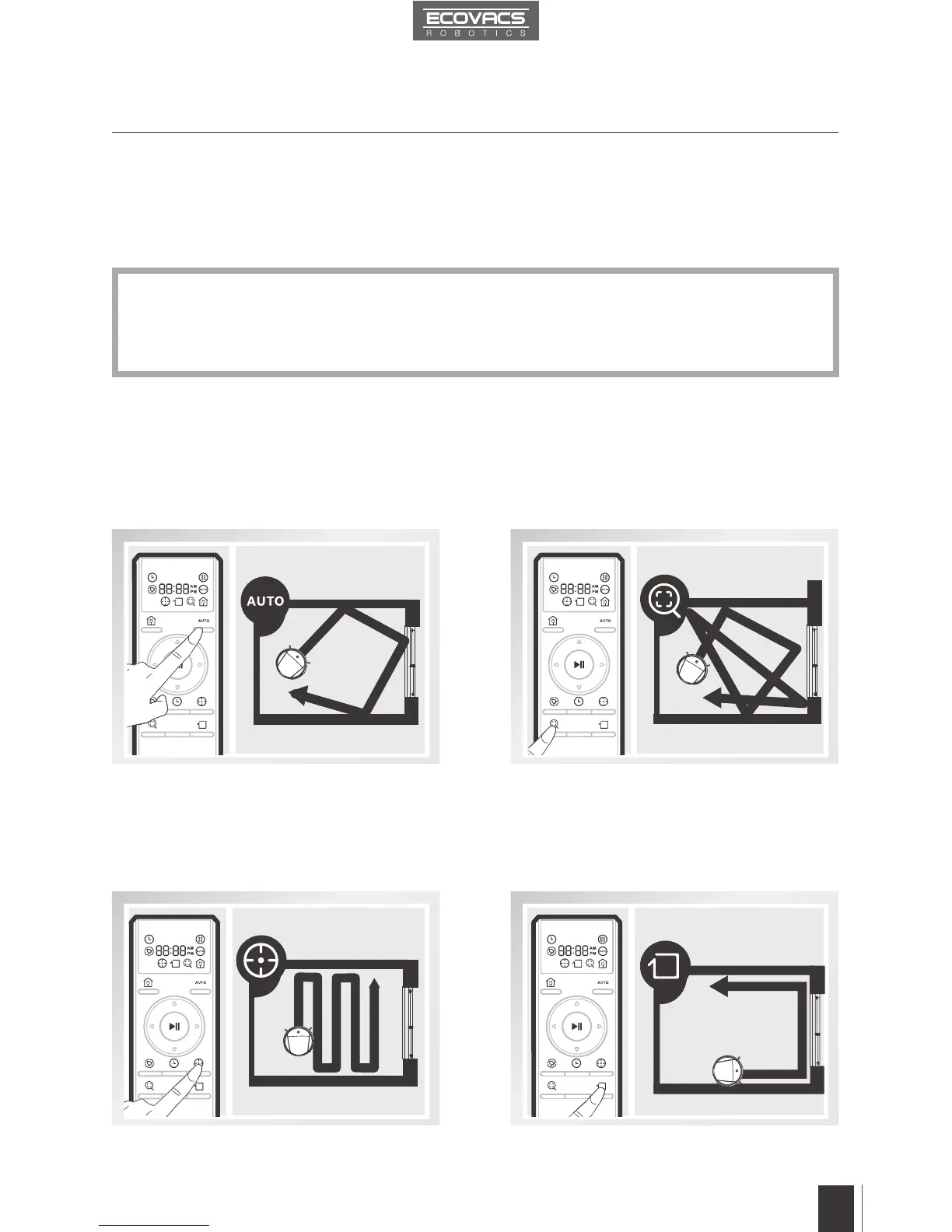
AUTO Cleaning Mode
Spot Cleaning Mode
Intensive Cleaning Mode
Edge Cleaning Mode
This is the most commonly used mode. In
AUTO Cleaning Mode, DEEBOT 8 cleans in
a straight line and changes direction when it
meets an obstacle.
This mode is applicable for an area of highly
concentrated dirt or dust. In Spot Cleaning
Mode, DEEBOT 8 focuses on a specic area
to clean.
This mode is good for aggressive cleaning
or for extremely dirty or dusty oors. In this
mode, DEEBOT 8 follows the same cleaning
pattern as Automatic Cleaning Mode, but is
more sensitive to dirt and dust and performs
a more thorough cleaning.
This mode is good for cleaning the edges and
corners of a room. In Edge Cleaning Mode,
DEEBOT 8 cleans along a border (e.g. wall).
3.3 Cleaning Mode Selection
DEEBOT 8 has several Cleaning Modes for you to choose from to effectively clean different
floors. Cleaning Modes are selected using the robot’s Control Panel Buttons (D83 model
ONLY), or using the Remote Control.
To switch Cleaning Modes using the robot’s Control Panel Buttons (D83 model only), Pause
DEEBOT 8 rst, and then press the desired Cleaning Mode Button on the Control Panel.
To switch Cleaning Modes using the Remote Control, press the desired Cleaning Mode
Button twice.
*
*
S
T
A
R
TT
S
T
A
R
T
S
T
A
R
T
S
T
A
R
T













 To Next Page