EN
17
4. Maintenance
Before performing cleaning and maintenance on DEEBOT 8, move the Bottom Power Switch
to the “O” position and unplug the Charging Dock.
4.1 Dust Bin and Filters
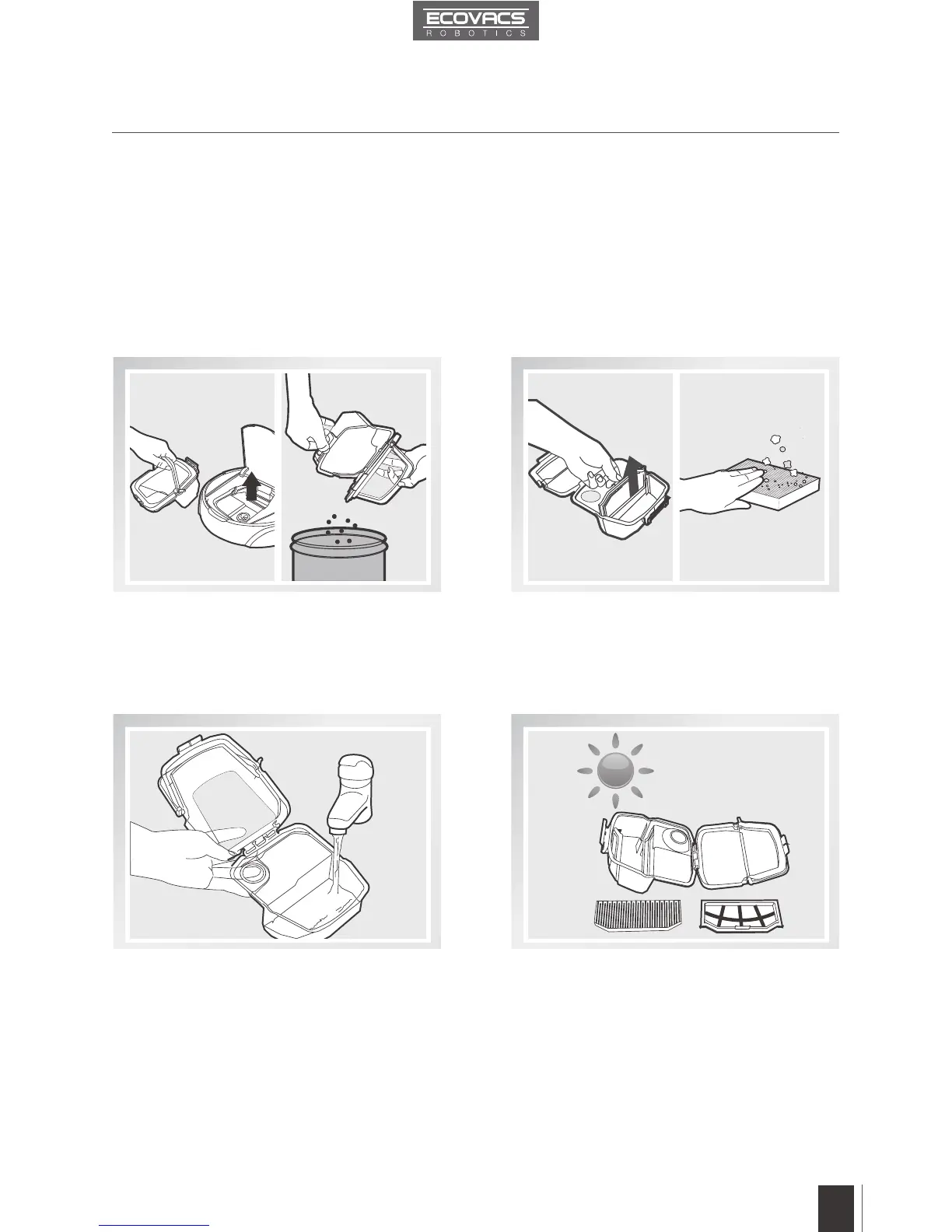
Open DEEBOT 8’s Top Cover and remove
the Dust Bin. Open the Dust Bin Cover and
empty the Dust Bin.
Rinse the Dust Bin and Filter Net under
running water.
Remove the filters. Pat the High Efficiency
Filter clean. Do not rinse the High Efciency
Filter under water.
Dry the Dust Bin and Filter Net completely
before reinstalling.
Cleaning the Dust Bin and the Filters
Wash and Dry













 To Next Page