EN
13
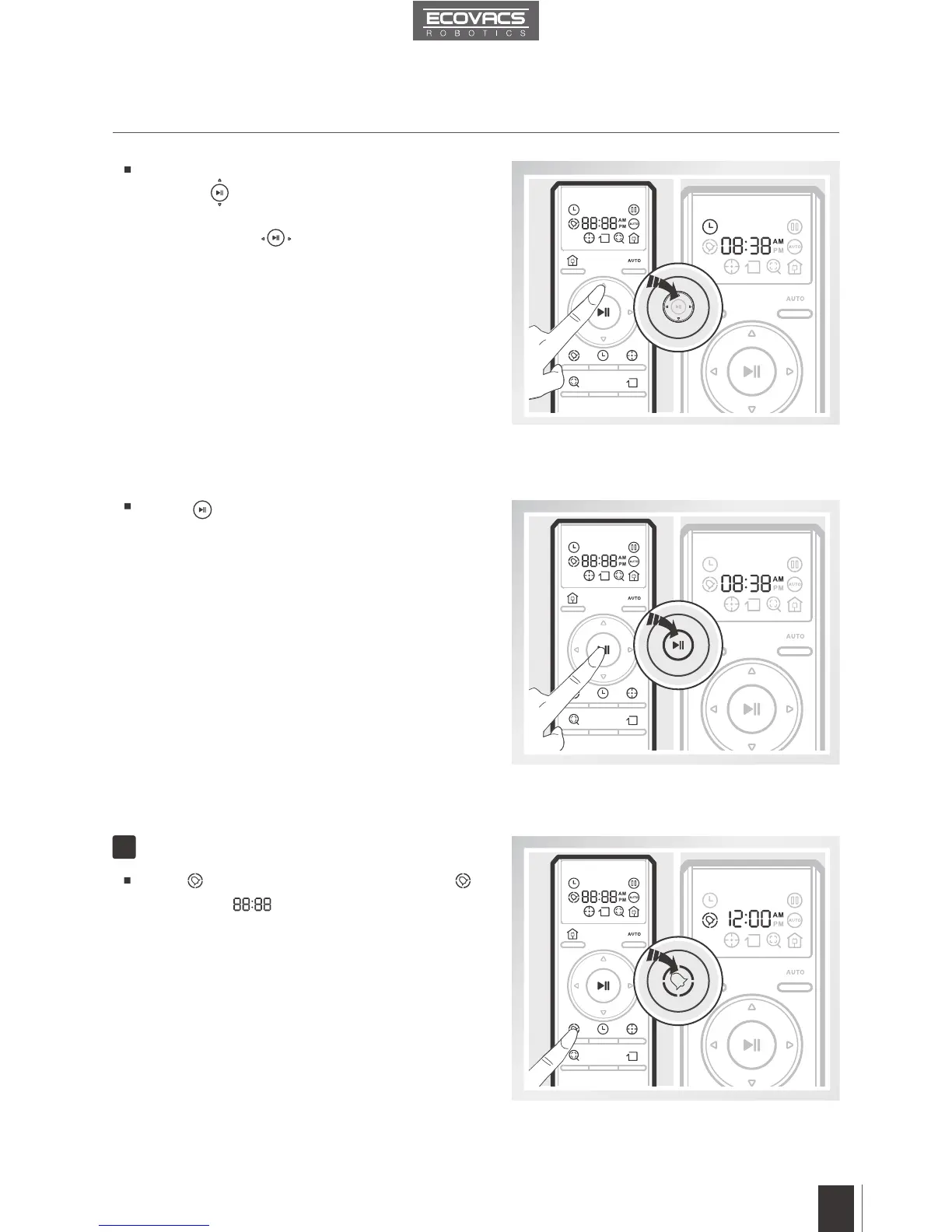
Press button on the Remote Control until
flashes and illuminates on the Remote
Control LED Screen.
3. Operating and Programming
Schedule the Cleaning Time
2
Press the up and down Direction Control
Buttons
to adjust “hour” and “minute”
number. Press the left and right Direction
Control Buttons
to switch between hour,
minute and AM/PM.
Press button on the Remote Control to
conrm and save the current time of day.














 To Next Page