21
EN
5. Troubleshooting
NO. Malfunction Possible Causes Solutions
4
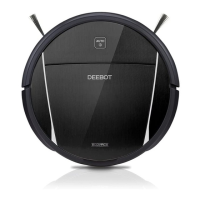
DEEBOT 8
will not clean
automatically at
scheduled time.
Time Scheduling function is
cancelled.
Set Time Scheduling function as described
in section 3.4.
The Bottom Power Switch
on the bottom of the robot is
OFF.
Turn the Bottom Power Switch to the ON
position.
The robot’s battery is low.
Keep DEEBOT 8 powered ON and on the
Charging Dock to make sure it has a full
battery to work at any time.
DEEBOT 8’s components
are tangled with debris.
Turn DEEBOT 8’s Bottom Power Switch
OFF, clean the Dust Bin, and invert the
robot. Clean the Side Brushes and the
Main Brush as described in section 4
Maintenance.
5
Remote Control
failure (effective
control range of
Remote Control
is 5m (16’)).
The batteries in the Remote
Control need to be replaced.
Replace with new batteries making sure
they are installed correctly.
The Bottom Power Switch is
turned OFF, or DEEBOT 8’s
battery is low.
Make sure DEEBOT 8’s Bottom Power
Switch is ON and fully charged.
The infrared signal cannot
be transmitted because the
Infrared Emitter on the Remote
Control or DEEBOT 8’s
Infrared Receiver on DEEBOT
8 is dirty.
Use a dry cloth or the Multi-Function
Cleaning Tool to wipe the Infrared Emitter
on Remote Control and the Infrared
Receiver on DEEBOT 8.
There is other equipment
interfering with the infrared
signal to DEEBOT 8.
Avoid using the Remote Control near
other equipment using infrared signals.













 To Next Page