23
ECOWATER
SYSTEMS
Faceplate Controller, Features/Options
Advanced/Service Menu, continued
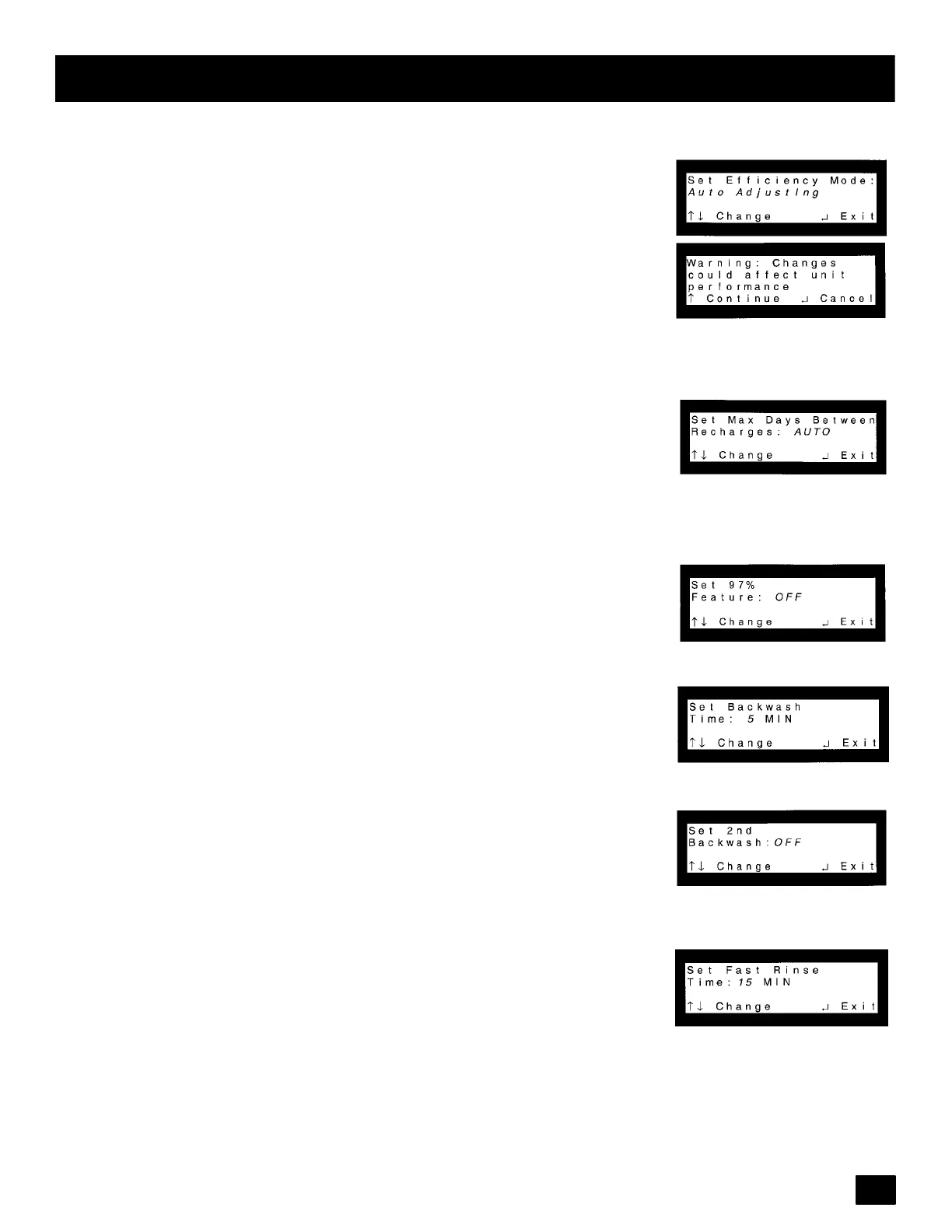
Efficiency Mode: Press the (↑)or(↓) keypads until cursor is next to Efficiency
Mode and press SELECT/EXIT ( ↵ ). Default is Auto Adjusting which has a
minimum efficiency o f 3350 grains/lb of salt ( = 48.2 _Fm#/kg of salt). Use the (↑)
or (↓) keypads to change to either High Capacity which sets the regeneration
salt doses that are increased by a certain % to handle applications requiring 1.5
PPM (parts per million) or less soft water, or to handle special cases such as low
leakagerequirementor problemwaterconditions;and Salt Efficientwhichoper-
ates at a minimum of 4000 grains/lb of salt (= 57.5 _Fm#/kg of salt) . Changing
this setting will prompt a warning that changes could affect performance. Press
SELECT/EXIT (↵ )toexit.
Set Max Days/Recharge: Press the (↑)or(↓) keypads until cursor is next to Set
Max Days/Recharge and press SELECT/EXIT ( ↵ ). Default is Automatic. The
algorithm will determine when to recharge. Use the (↑)or(↓) keypads to change
between 1 and 15 days. With this setting the unit will never go past number of
days set for a recharge, but could recharge before. Press SELECT/EXIT (↵ )to
exit.
Set 97% Feature: Press the (↑)or(↓) keypads until cursor is next to Set 97%
Feature and press SELECT/EXIT ( ↵ ).DefaultisOff.Usethe(↑) keypad to set
to On. By setting to On, unit will automatically recharge when 97% capacity has
been used, at any time of day. Press SELECT/EXIT (↵ )toexit.
SetBackwashTime:Pressthe(↑)or(↓) keypadsuntilcursorisnextto SetBack-
wash Time and press SELECT/EXIT ( ↵ ). Time can be changed from 1 to 30
minutes. See chart on page 4 for recommended backwash time. Press SE-
LECT/EXIT (↵ )toexit.
Set 2nd Backwash: Press the (↑)or(↓) keypads until cursor is next to Set 2nd
Backwash and press SELECT/EXIT ( ↵ ). Default is Off. Use the (↑) keypad to
set to On. When set to On, unit will always perform a 2nd backwash and rinse.
Press SELECT/EXIT (↵ ) to exit. Elect this feature if water contains a lot of sedi-
ment or iron.
SetFastRinse:Pressthe (↑)or(↓)keypads untilcursorisnext to Set FastRinse
and press SELECT/EXIT (↵ ). Time can be changed from 1 to 30 minutes. See
chart on page 4 for recommended fast rinse time. Press SELECT/EXIT (↵ )to
exit.
continued



 To Next Page