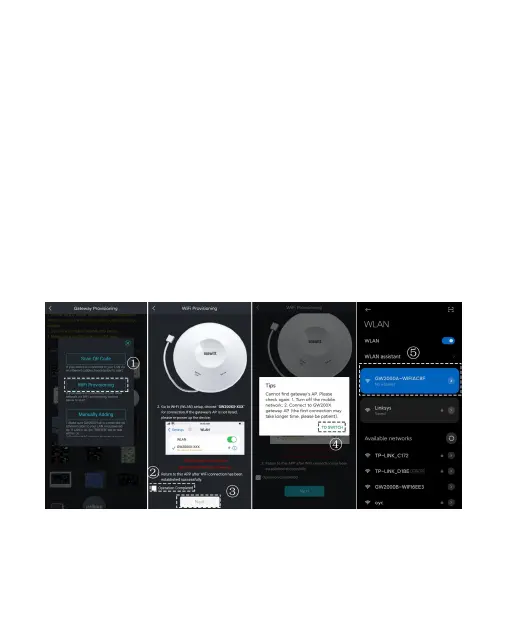
3.3.2 WIFI Provisioning
1. Ensure the GW2000 is in WiFi configuration mode, indicated
by the red Sensor Link LED blinking quickly.
If it's not blinking after powering on, hold the reset button for 5
seconds or reconnect the power.
2. Open Ecowitt App, click "My Devices", and click "Add New
Devices", choose the GW2000’s icon to configure the WiFi
Provisioning.
3. Use your mobile phone to connect to the hotspot "GW2000x-
WIFIxxxx".
4. Allow location access, recommend selecting "While Using the
App". Fill in the Wi-Fi SSID and Password.
Figure 10 APP Wi-Fi Provisioning Operations



 To Next Page