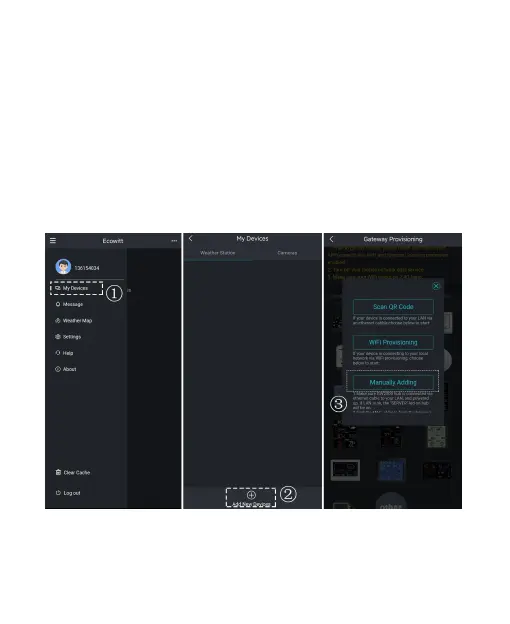
3.3.3 Manually Adding
1. Get the MAC address
MAC address is located on the sticker at the bottom of
the GW2000. Copy it from the embedded webpage.
2. Add the GW2000 to your Ecowitt Account
Open Ecowitt App, click "My Devices", and click "Add New
Devices", choose the GW2000’s icon to configure the Manually
Adding:
Figure 14



 To Next Page