times and consequently the console may have registered rainfall
that did not really exist. You can use console functions to clear
this from history. Doing so is also important to avoid false
registration of these readings with weather services.
5.3.6 Reset Button and Transmitter LED
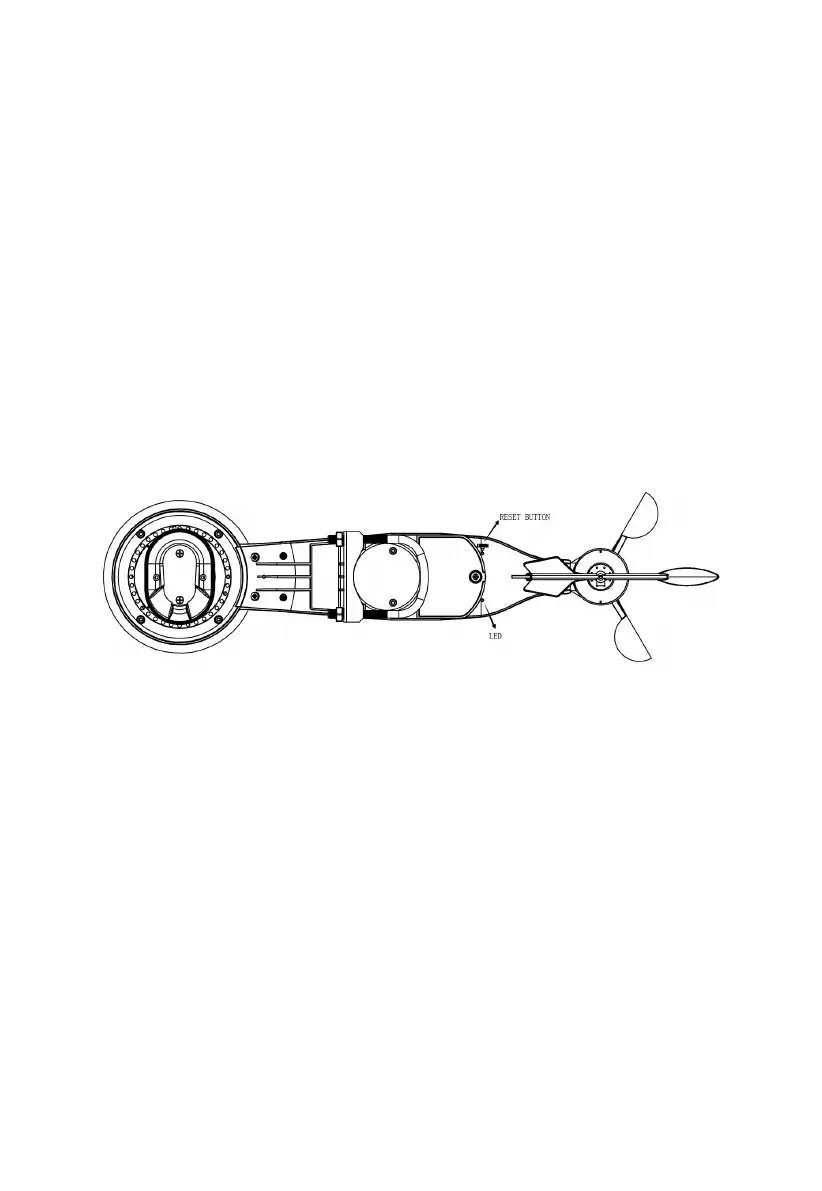
In the event the sensor array is not transmitting, reset the sensor array.
Using a bent-open paperclip, press and hold the RESET BUTTON (see
Figure 8) to affect a reset: the LED turns on while the RESET button is
depressed, and you can now let go. The LED should then resume as
normal, flashing approximately once every 16 seconds.
Figure 8: Reset button and Transmitter LED location
5.4 Best Practices for Wireless Communication
Wireless (RF) communication is susceptible to interference, distance,
walls and metal barriers. We recommend the following best practices for
trouble free wireless communication between both sensor packages and
the console:
Electro-Magnetic Interference (EMI). Keep the console several
feet away from computer monitors and TVs.
Radio Frequency Interference (RFI). If you have other devices
operating on the same frequency band as your indoor and/or outdoor



 To Next Page