DIGITAL ECU TUNER 3 – User Manual
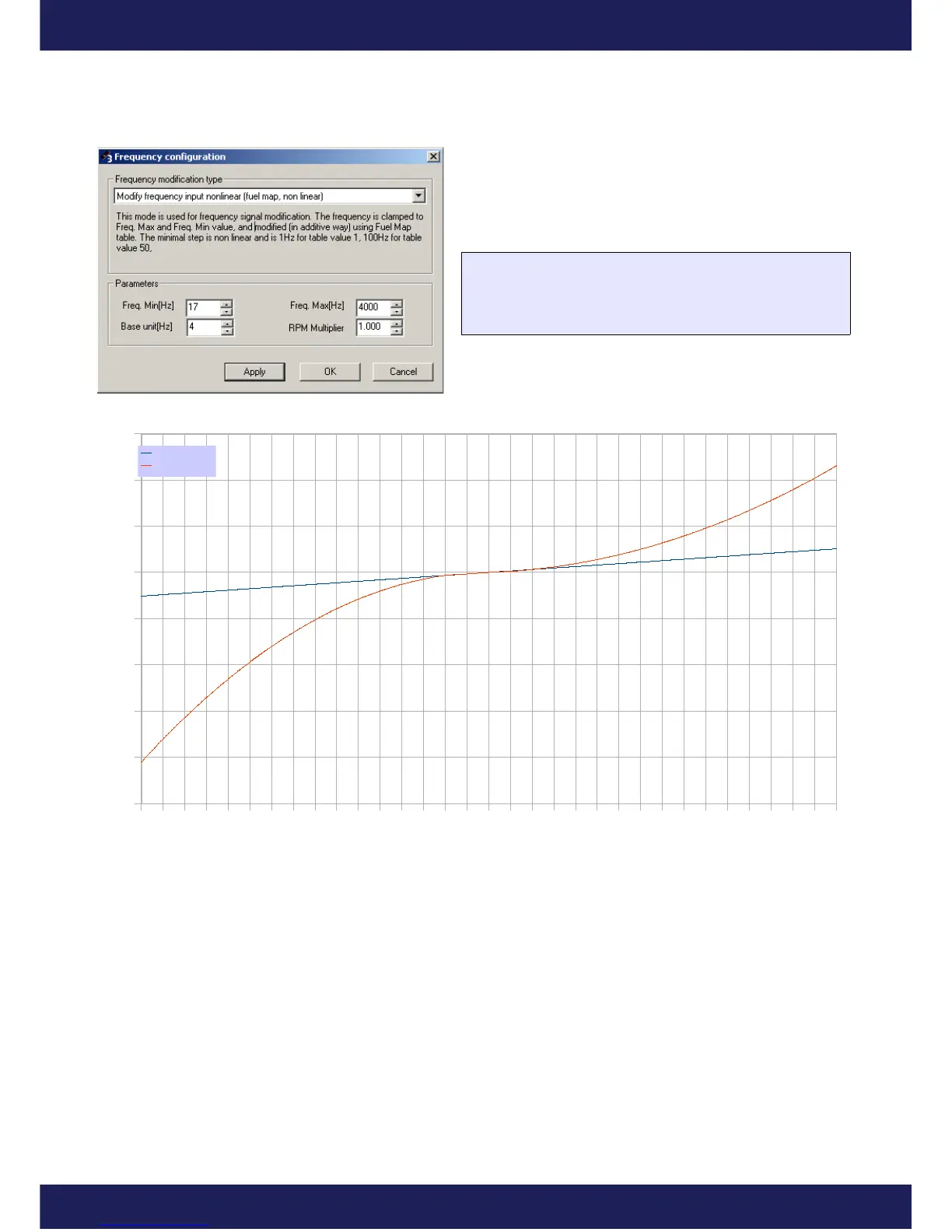
In the nonlinear mode, table values are rising in the
exponential way. There is a comparison of the frequency
change value for the linear and nonlinear mode on the chart
below:
FreqOut = FreqIn + F(MapValue)
If (FreqOut < FreqMin) FreqOut = FreqMin
If (FreqOut > FreqMax) FreqOut = FreqMax
It is possible to preview the nonlinear values on the map. To do this, click the right mouse button on the map area
and choose Display As/ Frequency on the context menu.
Page 33
www.ecumaster.com


 To Next Page